The same care as Novelink, for hotels
Bookings, rooms, tasks and guest chat in one management system, a guest app with nothing to download, and a digital concierge that answers from what you teach it — for hotels, resorts and B&Bs.
The same care, for hotels
Not a separate product: the same Novelink approach applied to hospitality — front desk, rooms, departments and guests in the same management system, with a digital concierge that answers from the property's Knowledge Base and hands over to staff when needed.
The hotel's day, on one screen
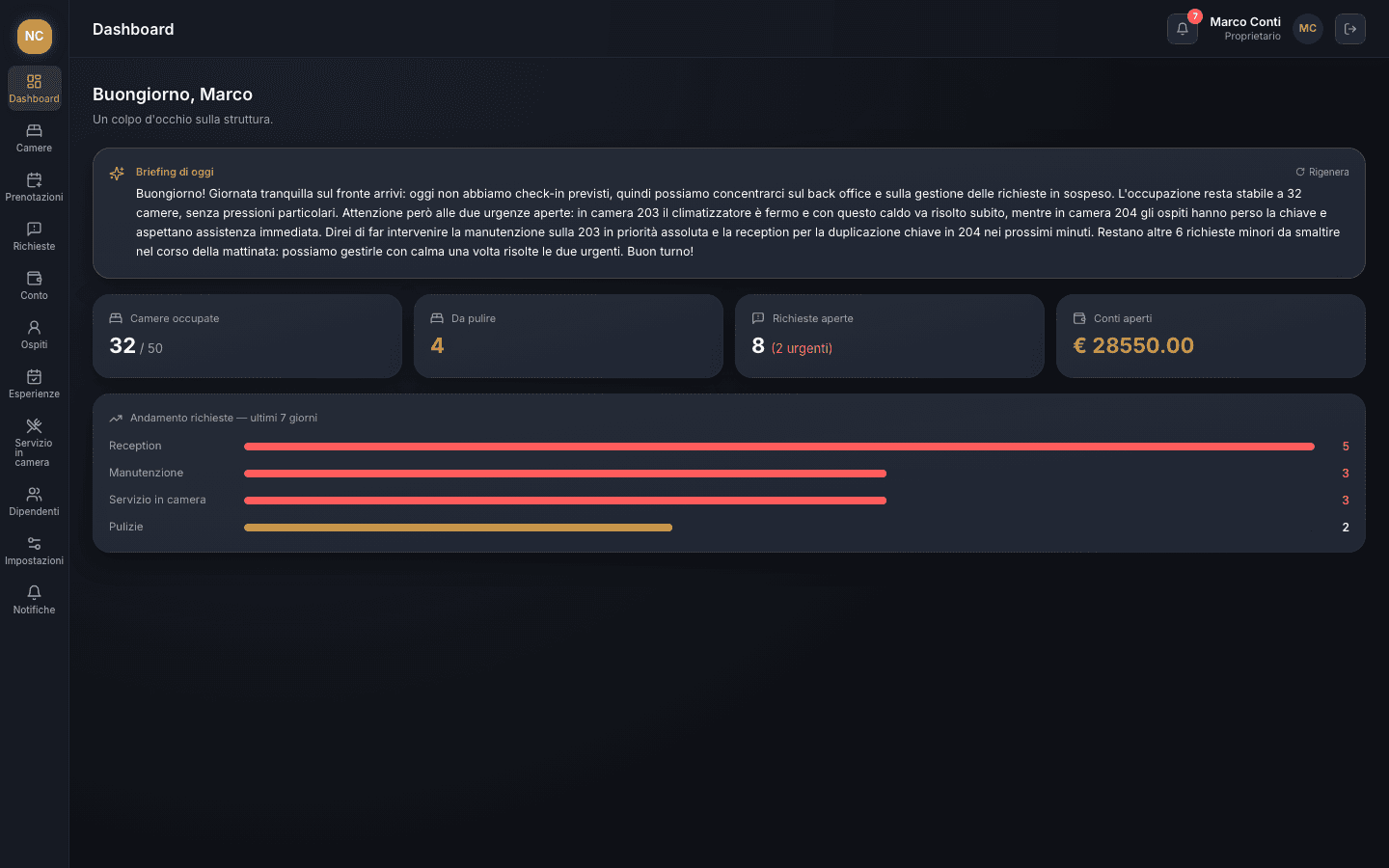
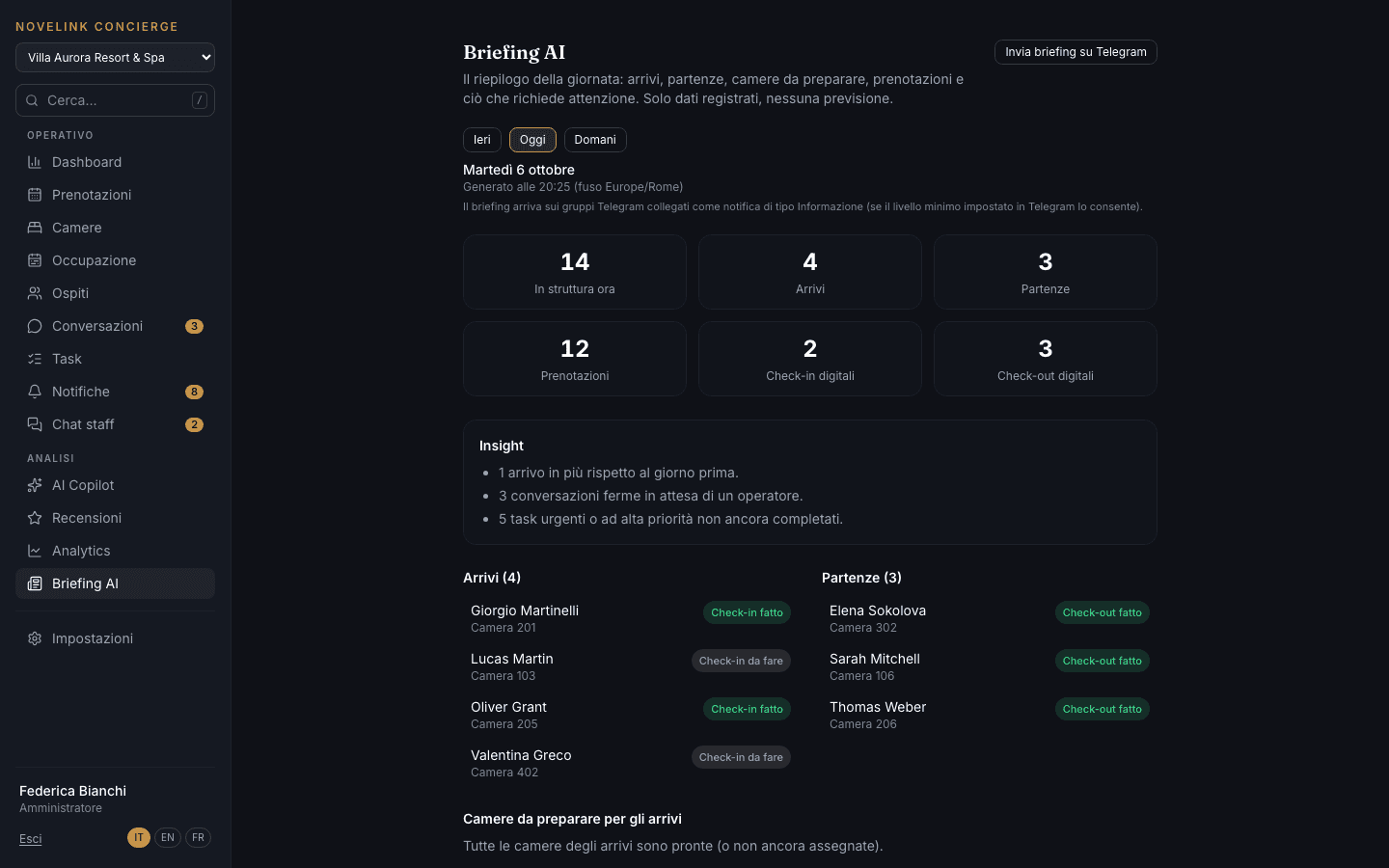
At eight in the morning, the front desk needs to know everything: who's arriving, who's leaving, what's still open from the night, which rooms aren't ready.
The Dashboard brings together arrivals, departures and in-house guests, today's booking schedule, urgent tasks, conversations waiting for a person, room status and occupancy. Every number comes from recorded data, with no estimates. The Briefing sums up yesterday, today or tomorrow on a single page.
Restaurant, spa, experiences and transfers in one schedule
The table is in a notebook, the massage on the spa sheet, the transfer in an email: at the end of the day, nobody has the full picture.
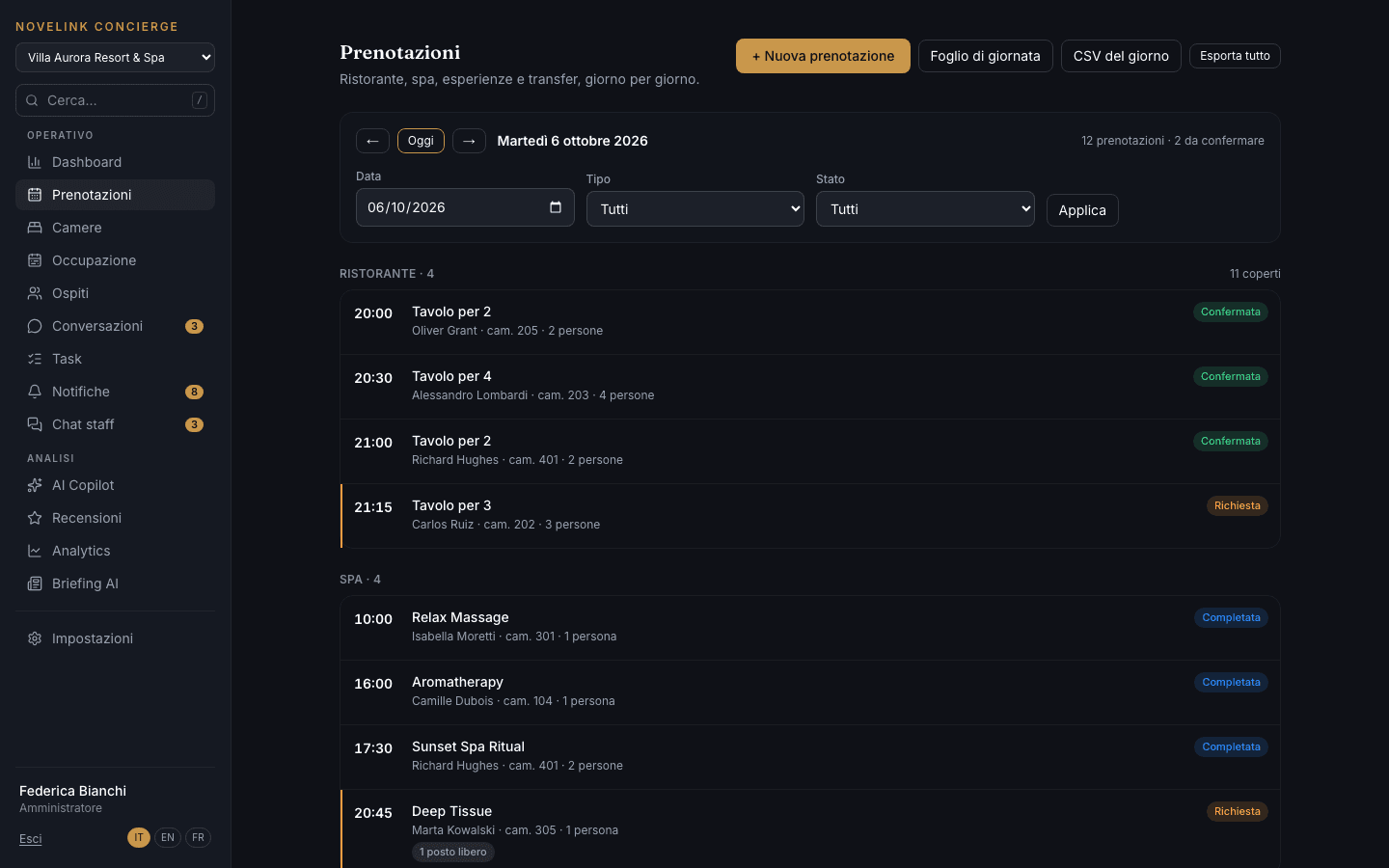
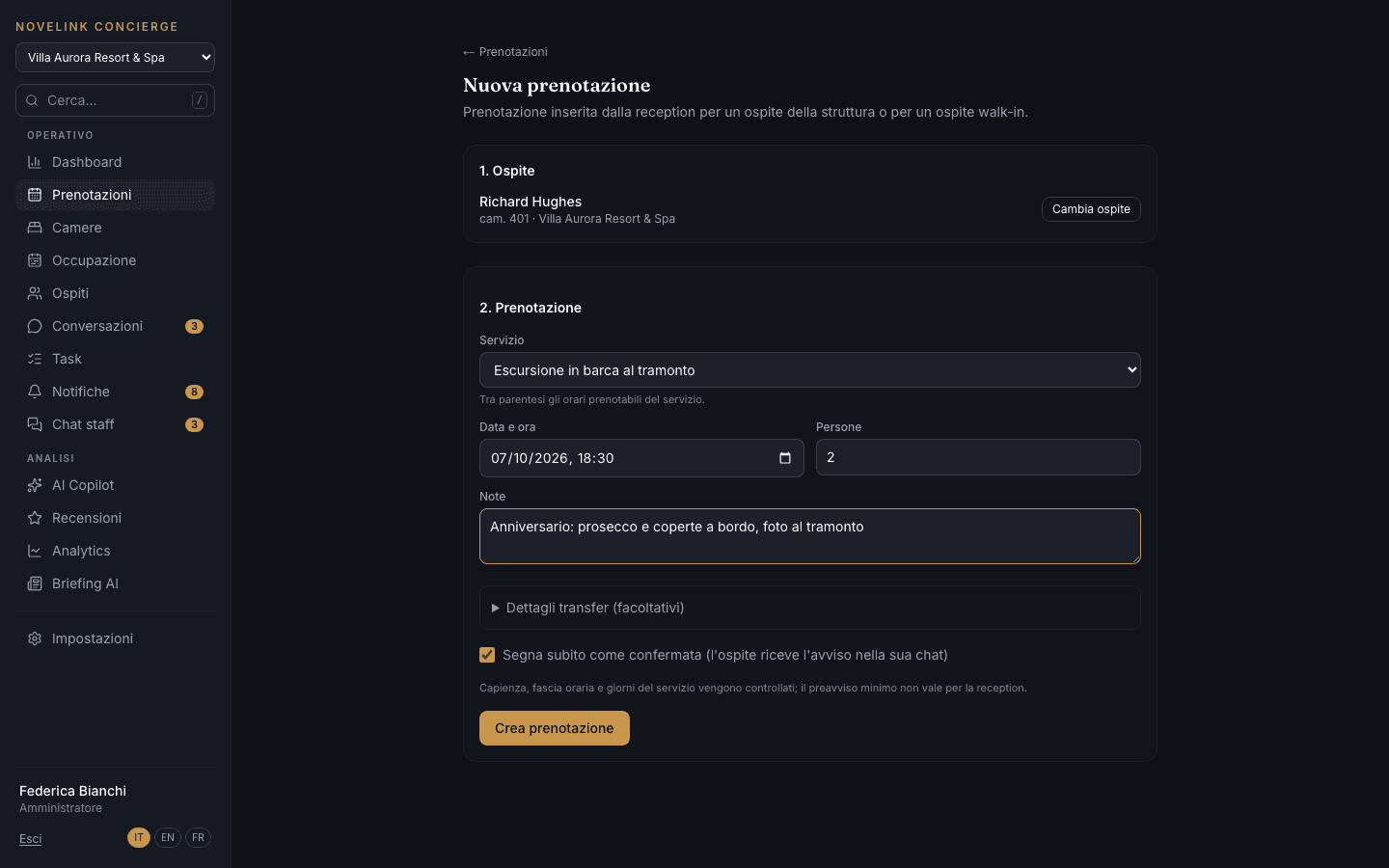
All of the property's bookings, day by day and split by service, with those awaiting confirmation highlighted. The front desk enters them in seconds, even for a walk-in guest who has never opened the app: capacity, time slots and service days are checked, and the guest receives the confirmation in their chat.
The room rack and the next two weeks
Knowing which rooms are clean, who's sleeping in them and when they'll be free usually takes three phone calls and an Excel sheet.
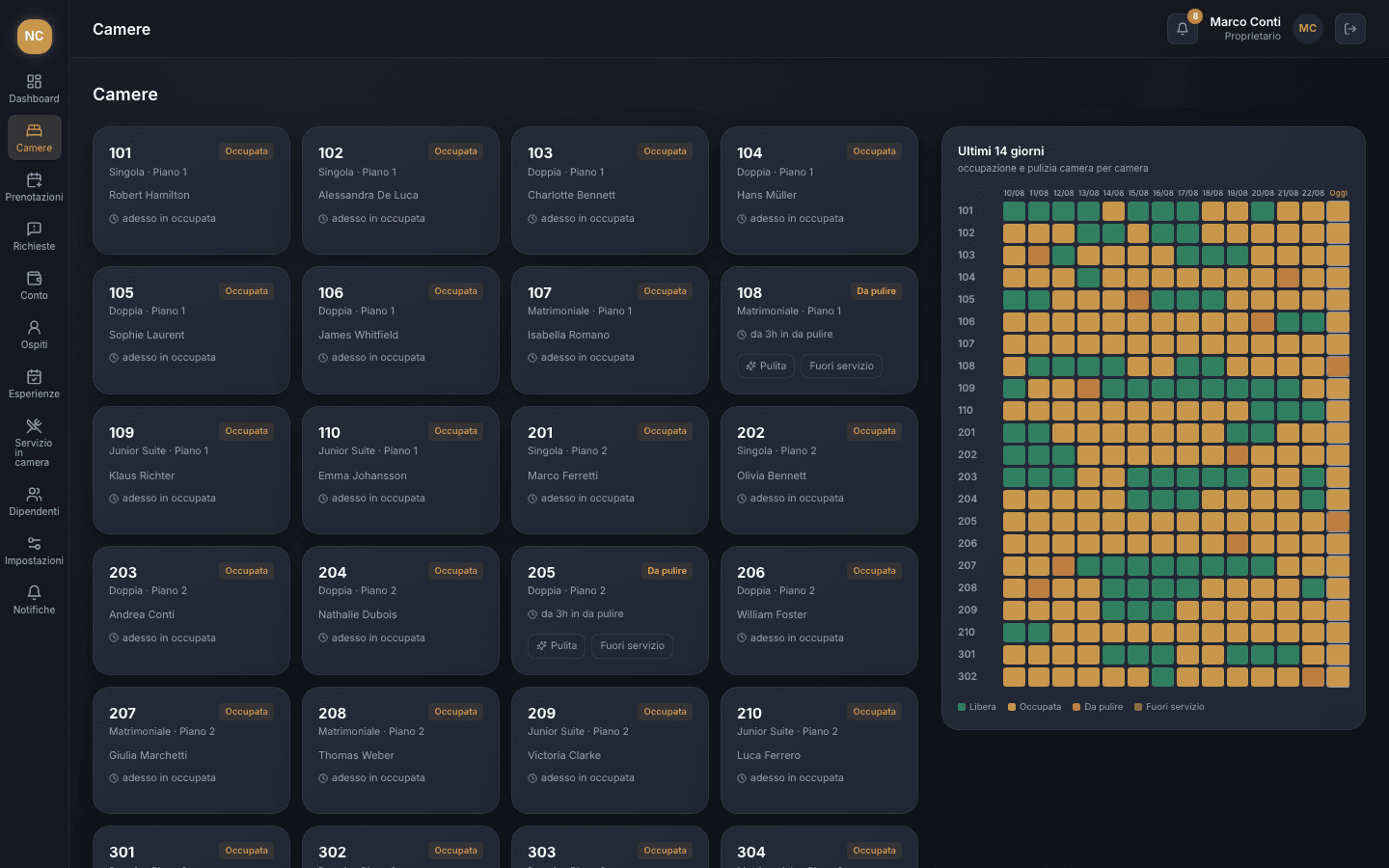
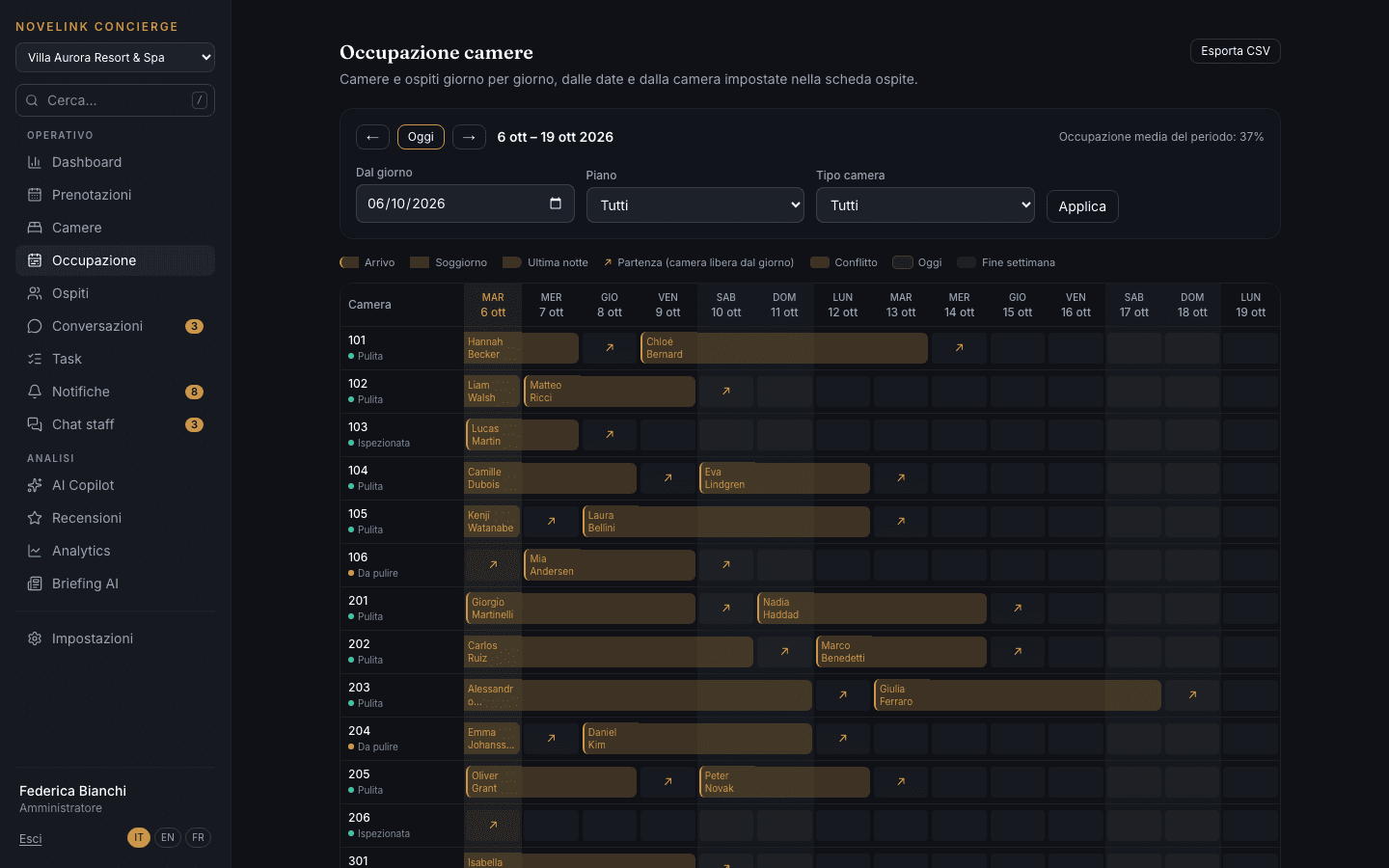
The rack shows rooms floor by floor with their housekeeping status — to be cleaned, clean, inspected, out of order — and today's guest. In one click, today's departures switch to “to be cleaned”. The Occupancy view maps arrivals, stays and departures over fourteen days and flags conflicts on the same room.
The guest profile, with the whole story of the stay
When a guest calls the front desk, whoever answers has to piece everything together from scratch: what they booked, what they asked for, what they ordered.
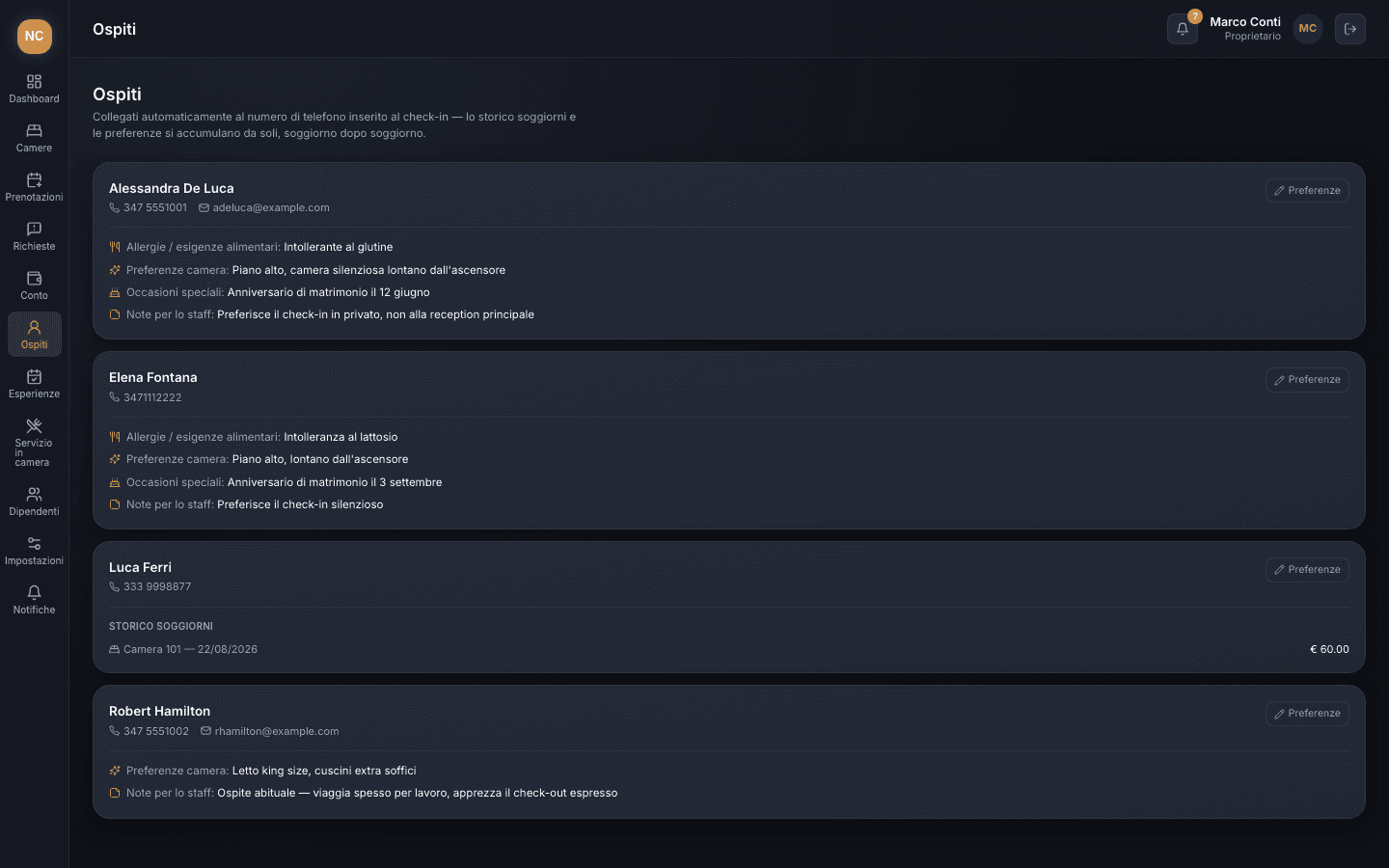
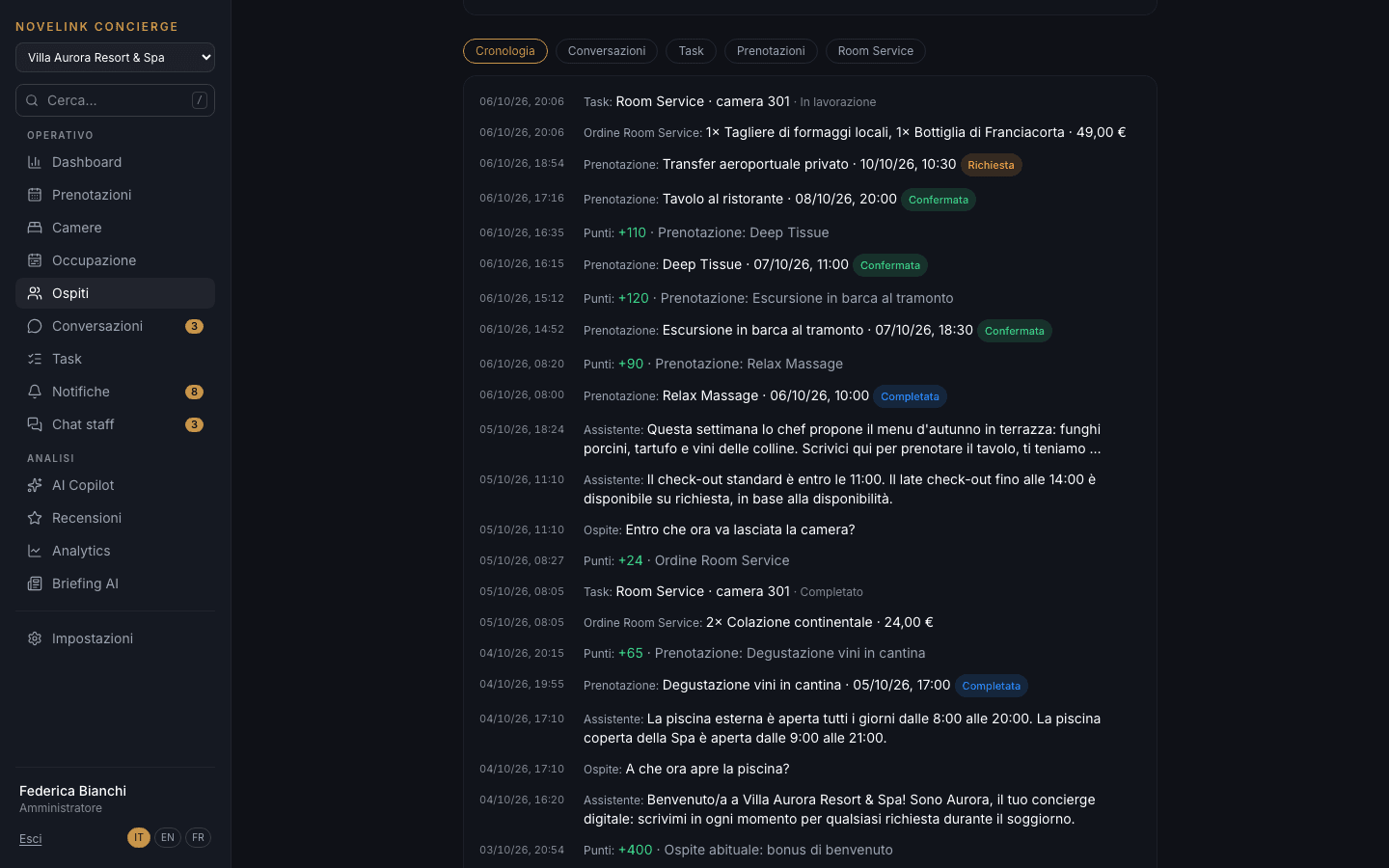
Every guest has a profile with room, expected dates, check-in and check-out, stay spend and loyalty points. The timeline lines up messages, bookings, Room Service orders, tasks and points, minute by minute. The bill summarizes the items that carry a price: it's a reminder, not an invoice.
Every request becomes a task, in the right department
“Who's handling this?” is the question that wastes the most time in a hotel: requests are passed on by word of mouth and get lost at shift change.
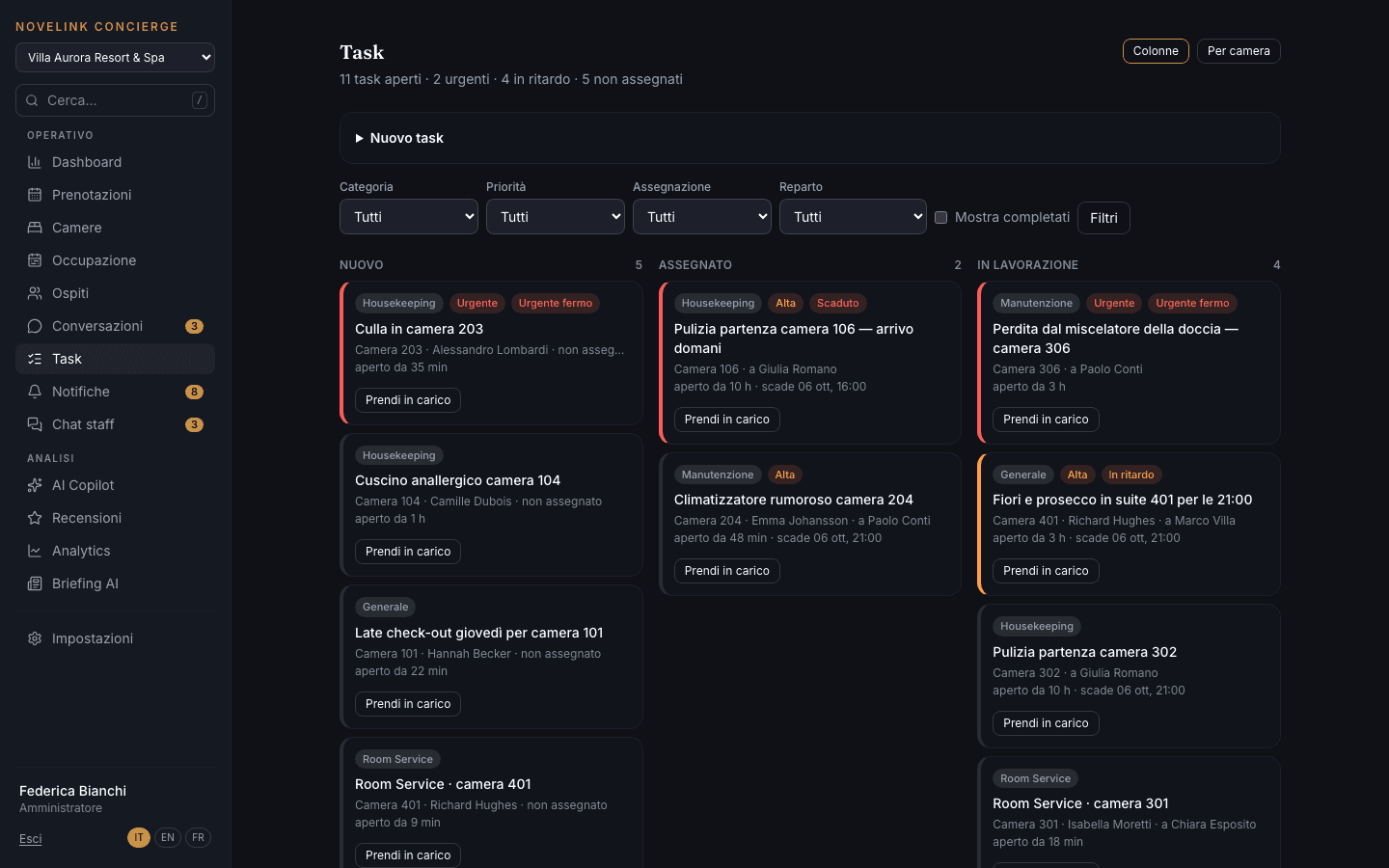
Tasks sit in three columns — new, assigned, in progress — with priority, room, due date and who's handling them. Tasks that come from a chat request are created automatically, in the right department. Housekeeping and maintenance staff see only their own department and take on a task with one tap.
The AI answers, staff step in when needed
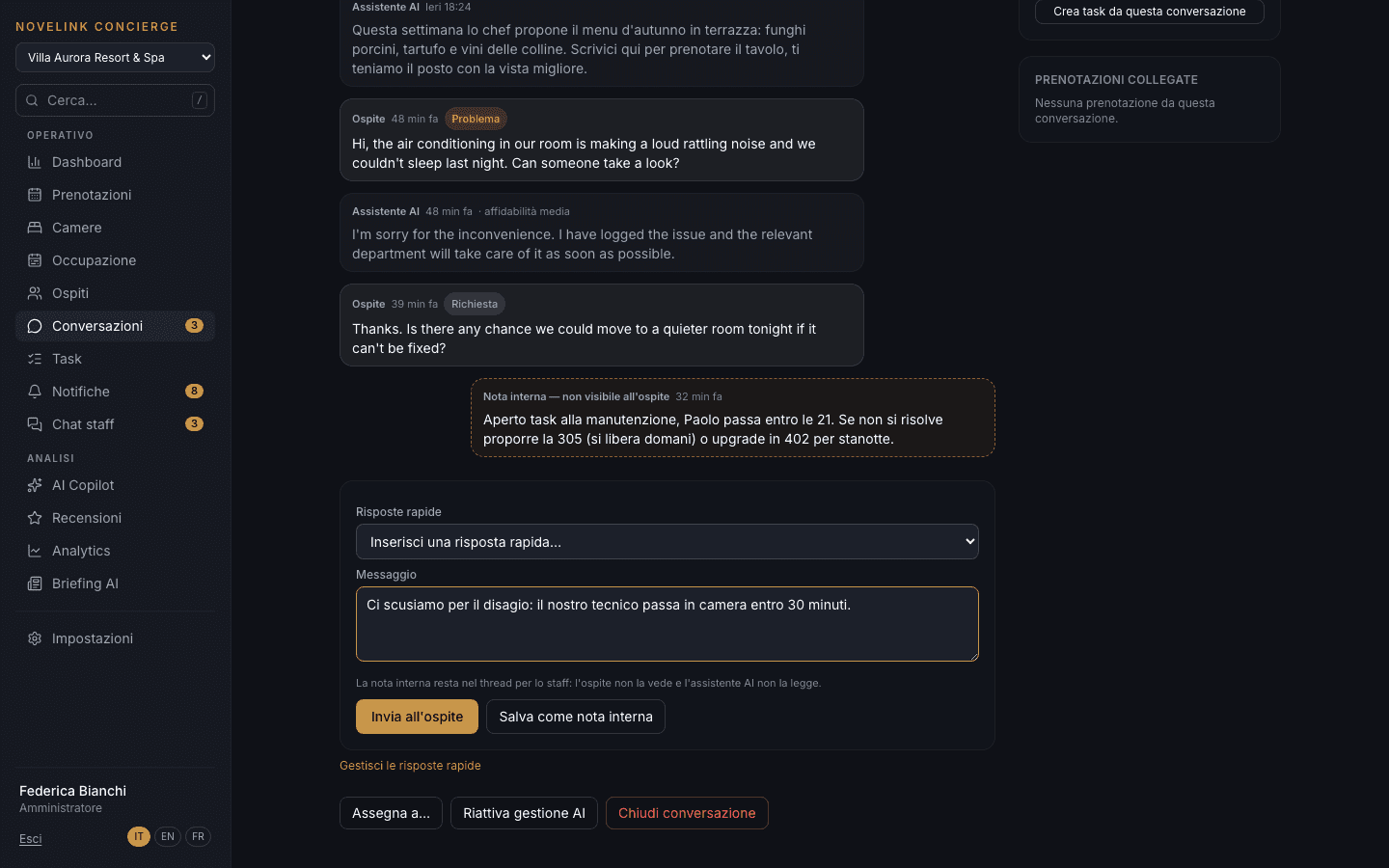
A guest writes at ten at night about a noisy air conditioner: someone needs to deal with it, not just send an automatic reply.
Chats that need a person rise to the top, with their waiting time. A colleague takes one over and the AI stops replying; they can leave an internal note — the guest doesn't see it and the AI doesn't read it — or answer in a moment with a quick reply. Alongside: room, stay and linked tasks.
Staff talk in the management system, from Telegram too
The staff WhatsApp group mixes shifts, photos and emergencies: the important message slips away within ten minutes.
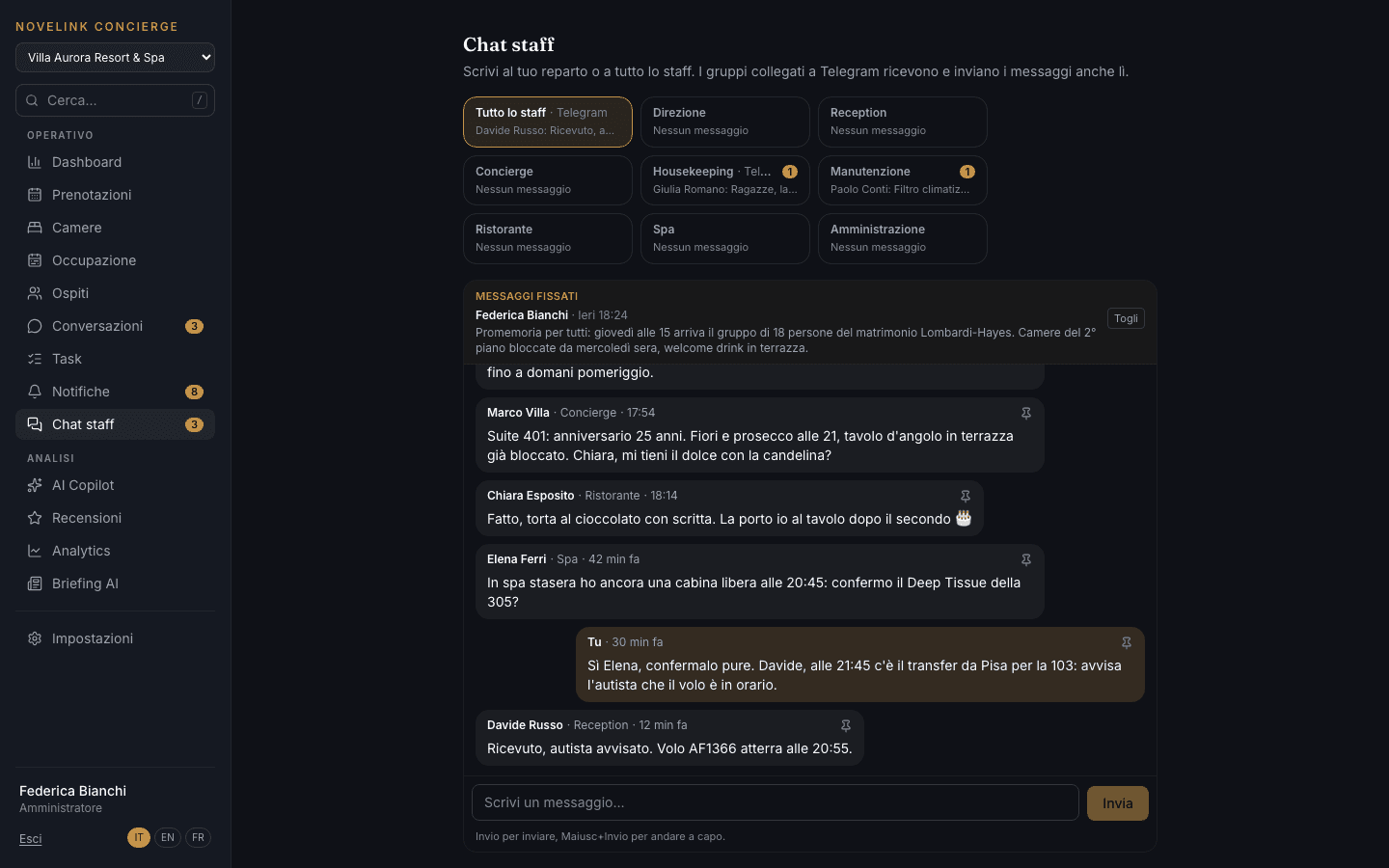
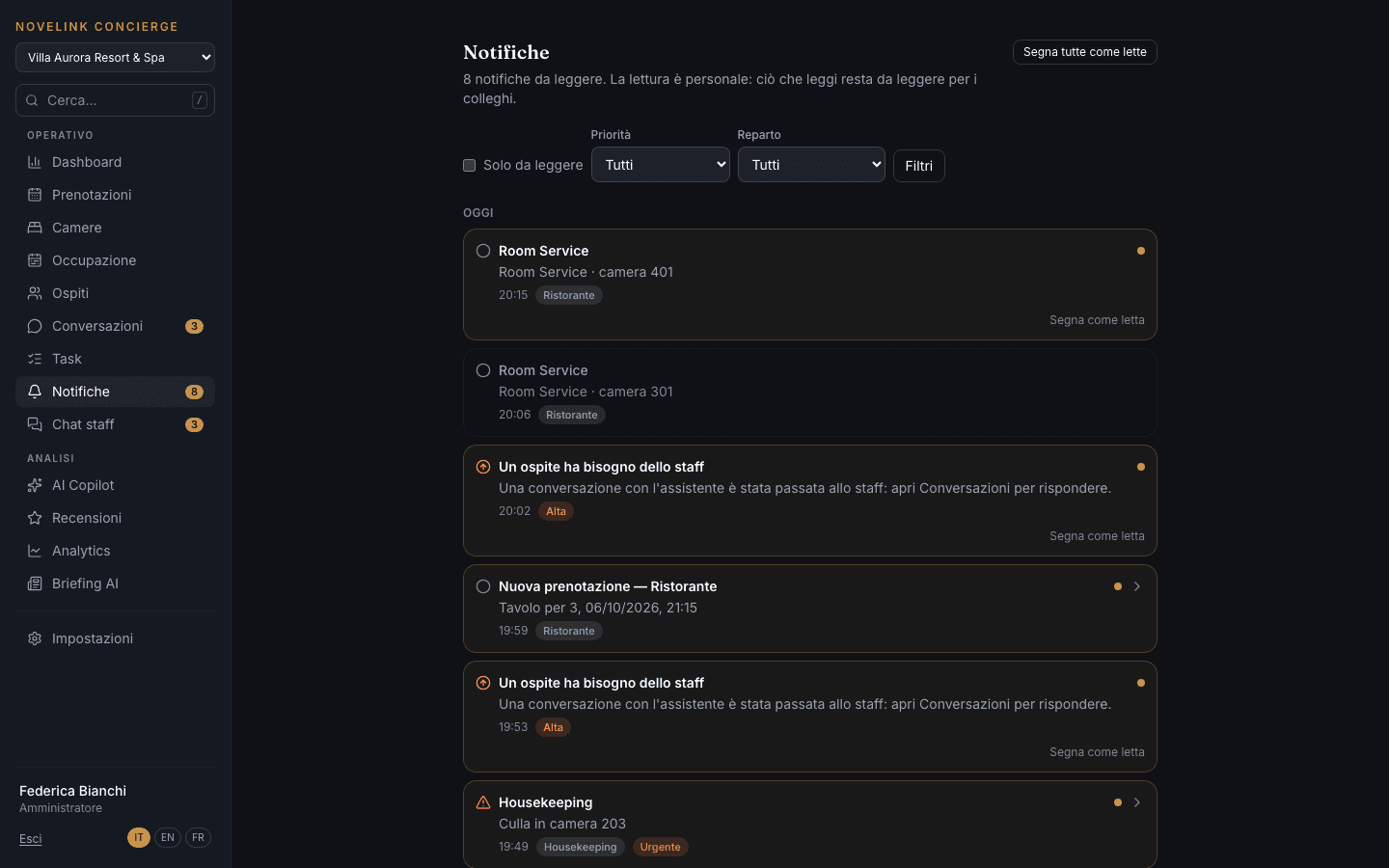
Staff chat has one group for the whole property and one for each department, with important messages pinned at the top. Notifications arrive by priority and department, and each person has their own read status. With the Telegram module, notifications and chat connect to the staff Telegram groups: you can write from there or from the management system.
A digital concierge that answers from what you teach it
Wi-Fi, pool hours, check-out: half of guests' questions are always the same, and they come in at any hour.
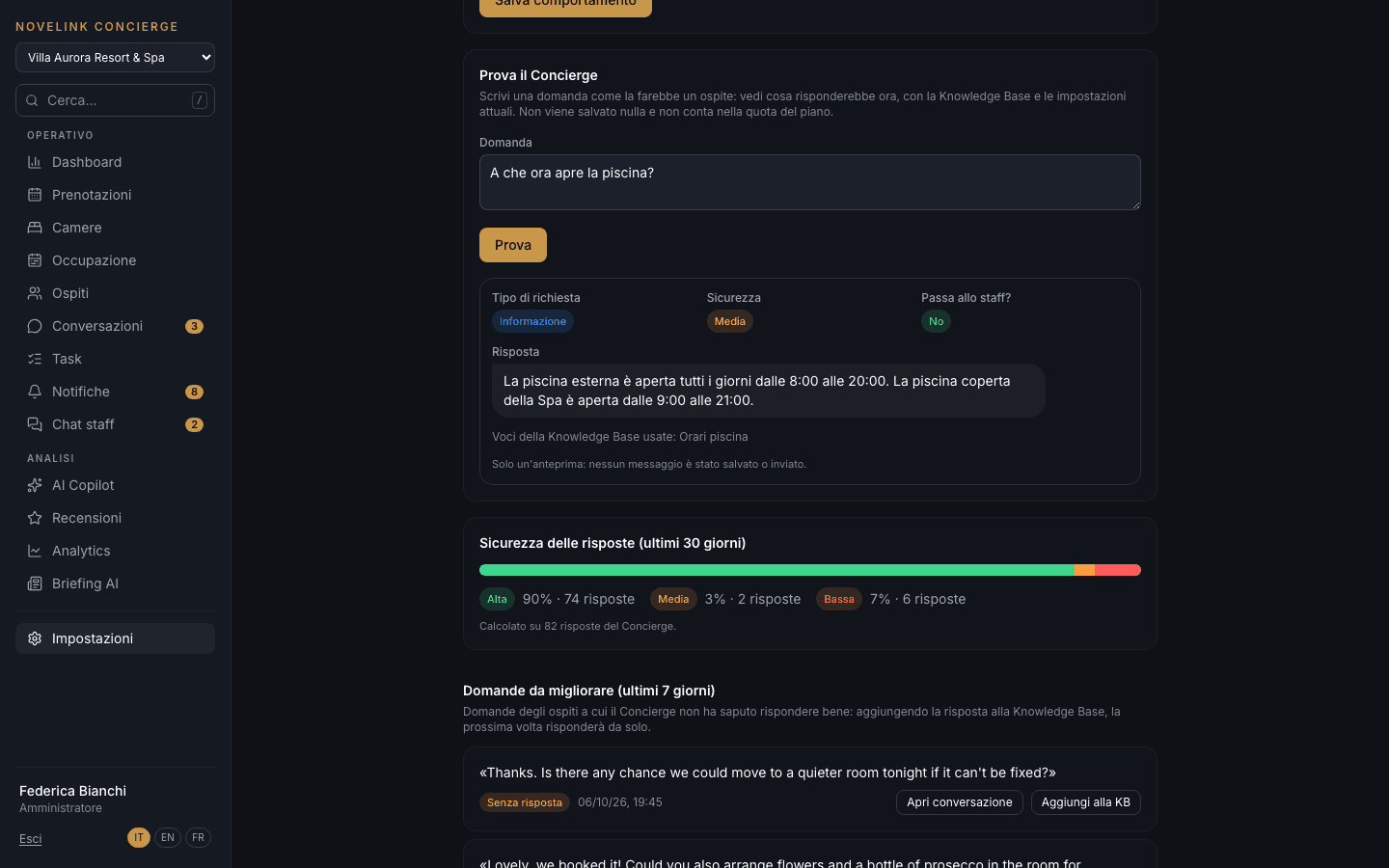
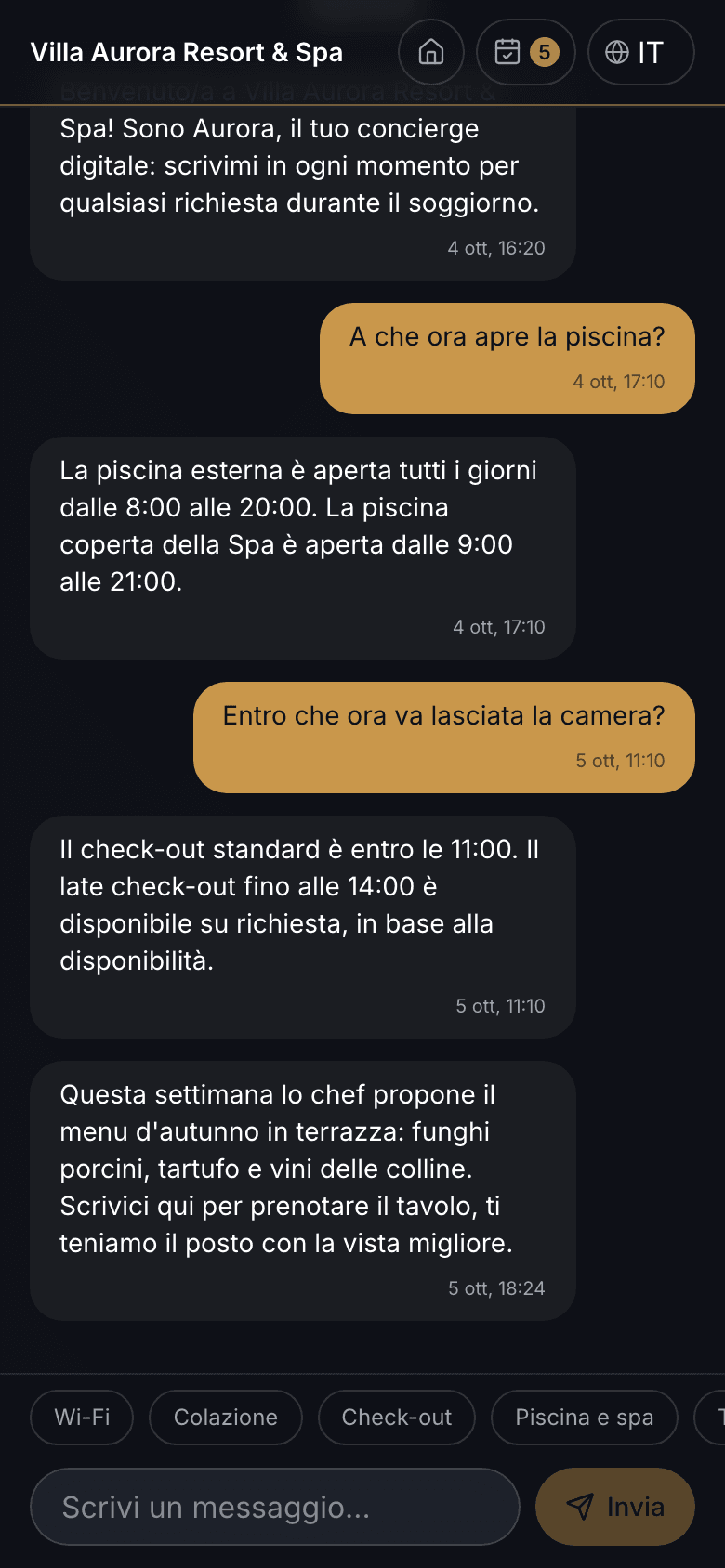
The Concierge answers in the app chat from the property's Knowledge Base, without making things up. It recognizes the type of request — information, service request, booking, problem, upsell, emergency — opens the right task and, when it isn't sure, hands the conversation over to staff. In the AI Control Center you set the tone and instructions, and “Try the Concierge” shows what it would answer without saving anything. An external language model can be connected, but it's optional.
When this happens, do that
The welcome message, the check-out reminder, the thank-you after departure: if they depend on someone's memory, they sometimes get skipped.
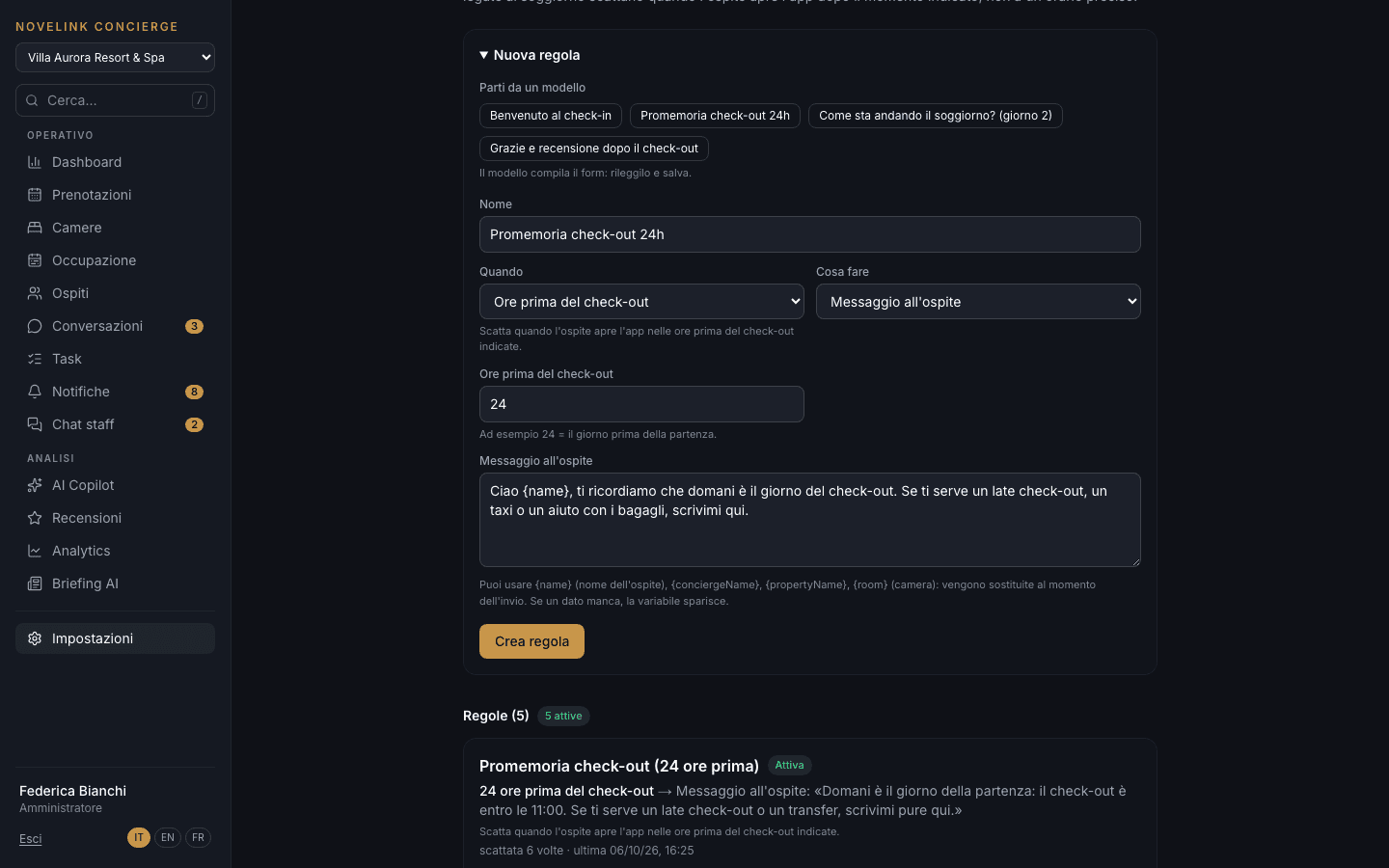
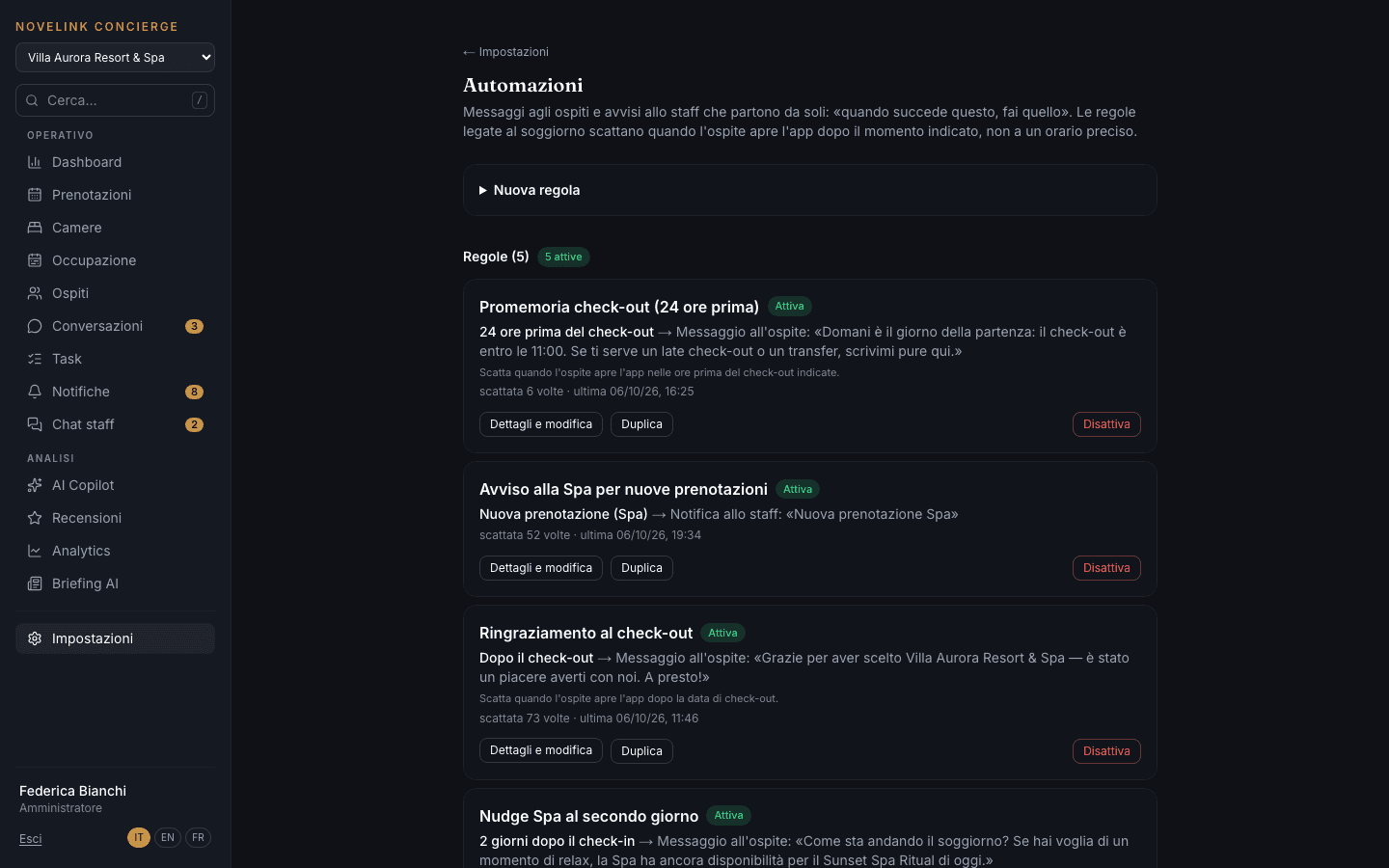
Automations send a message to the guest's chat or alert staff when something happens: check-in, a given day of the stay, the hours before check-out, departure, a new booking. You start from a ready-made template, review it and save. Stay-based rules run when the guest opens the app after the set moment, not at a precise time.
Campaigns in the guest chat, points for returning guests
Sending the right offer to the right guest, without another email platform to learn.
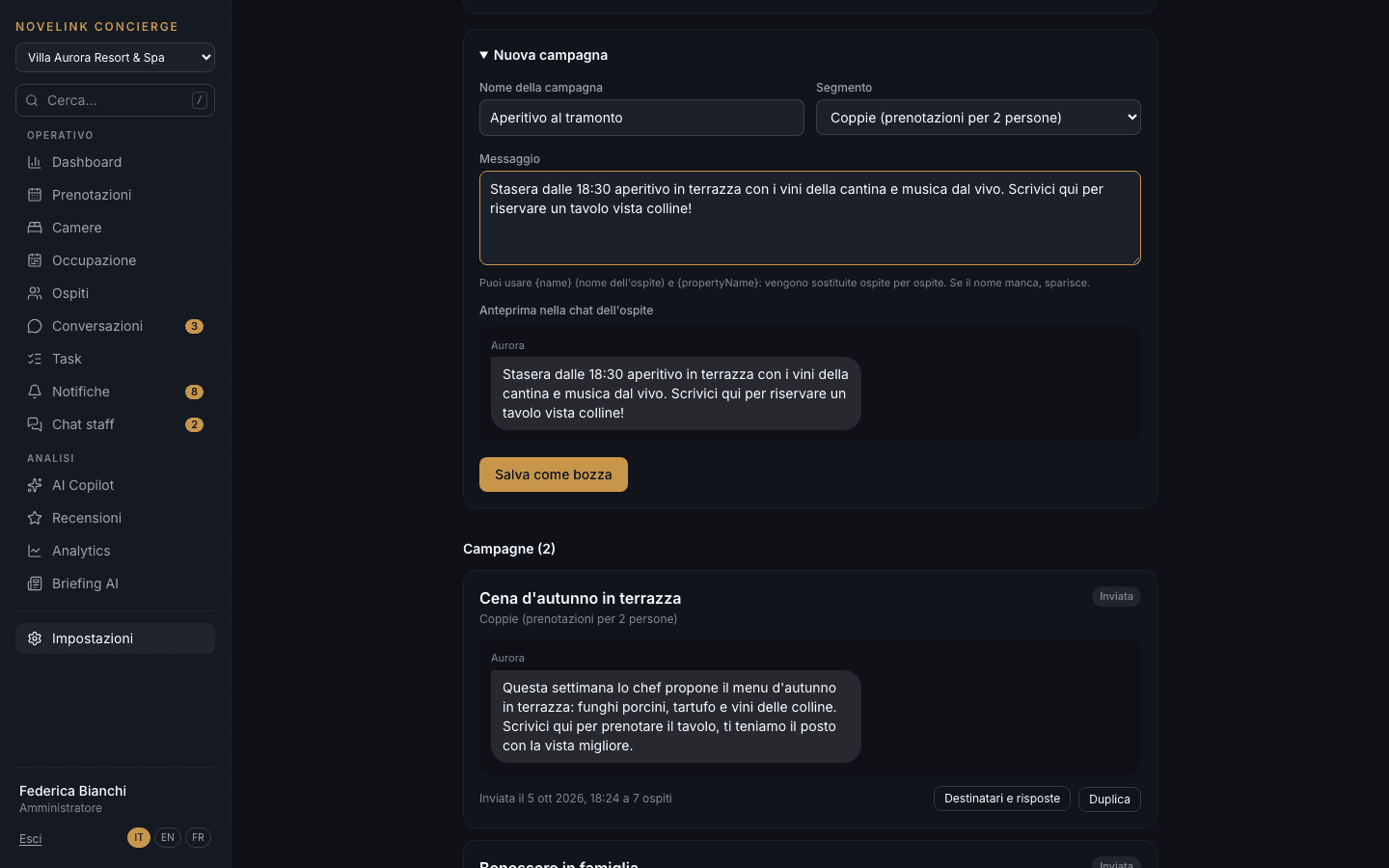
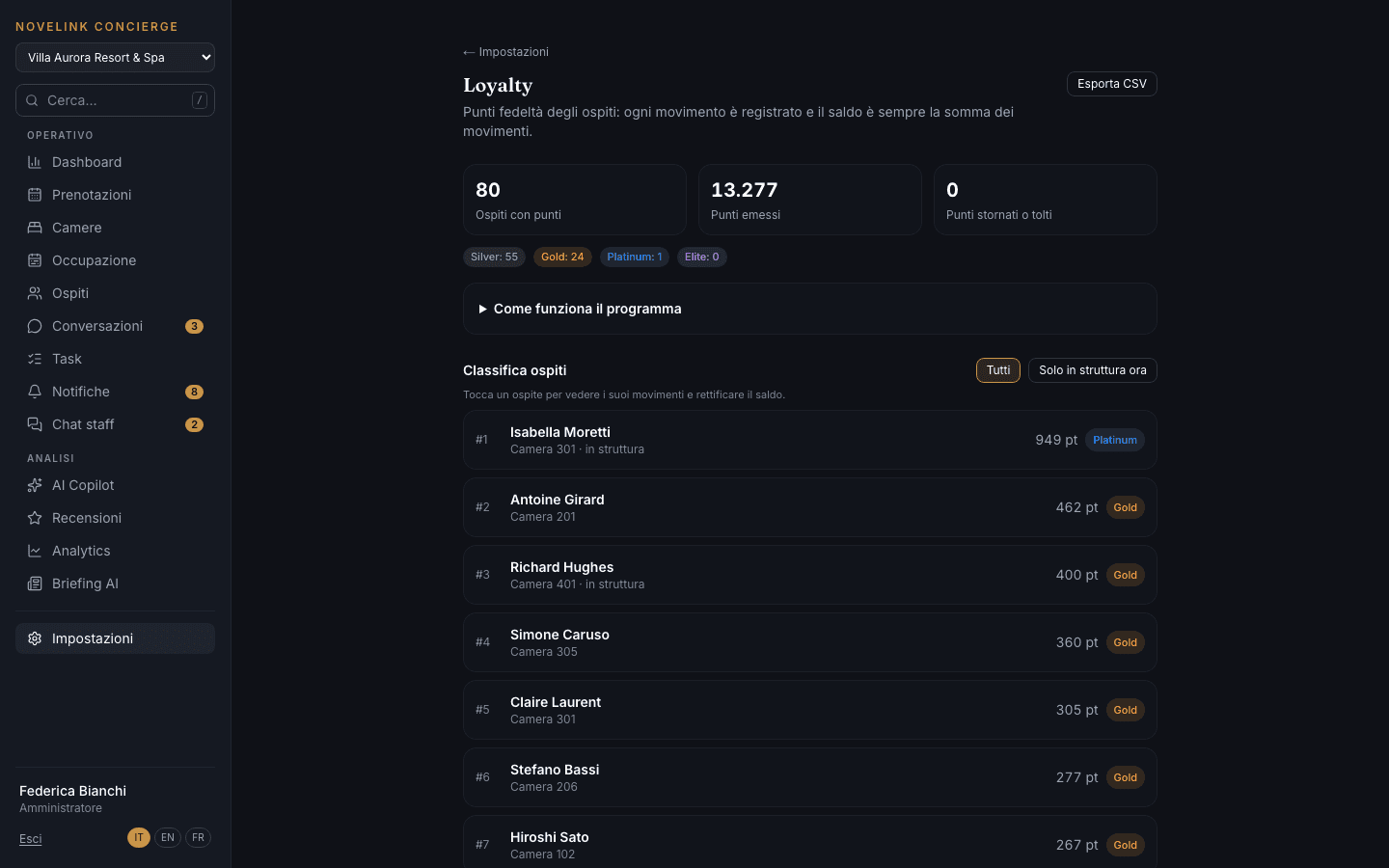
Campaigns arrive in the guest's app chat, not by email or SMS. You pick a segment calculated from the data — everyone, high spenders, VIPs, families, couples — see the exact message preview and send it: it goes out immediately, with no scheduled sending. The loyalty program awards points for bookings, orders, reviews and referrals, across four tiers.
What guests say, and your reply
A negative review read three weeks later can no longer be turned around.
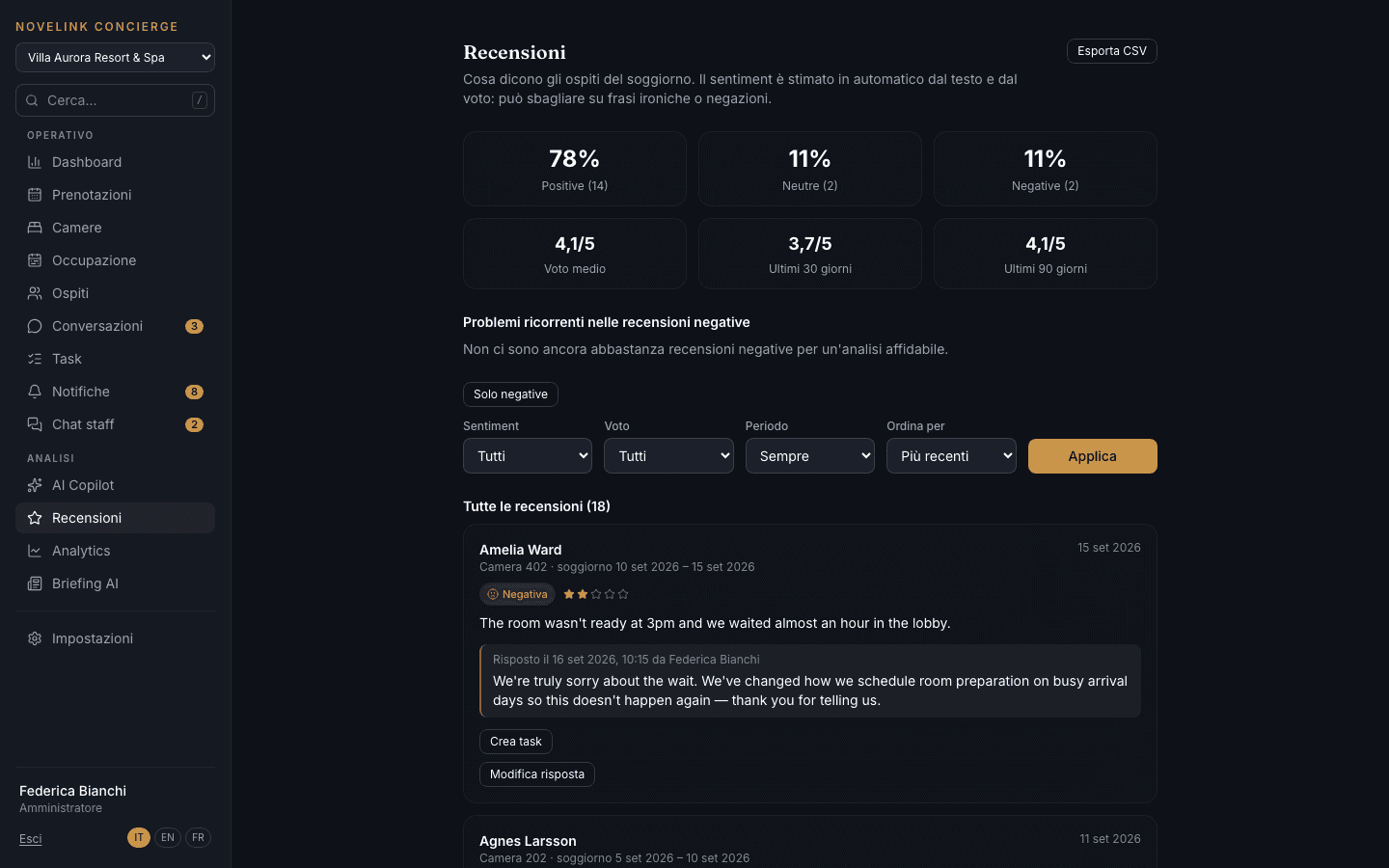
At the end of the stay, the guest leaves a rating and a comment in the app. Sentiment is estimated automatically, with percentages and the average rating for the last 30 and 90 days. Staff reply from the review — the reply also reaches the guest's chat — and can immediately open a task for the reported issue.
How the property is doing, period by period
Finding out whether the spa is selling more than last month or staff are replying faster shouldn't take a consultant.
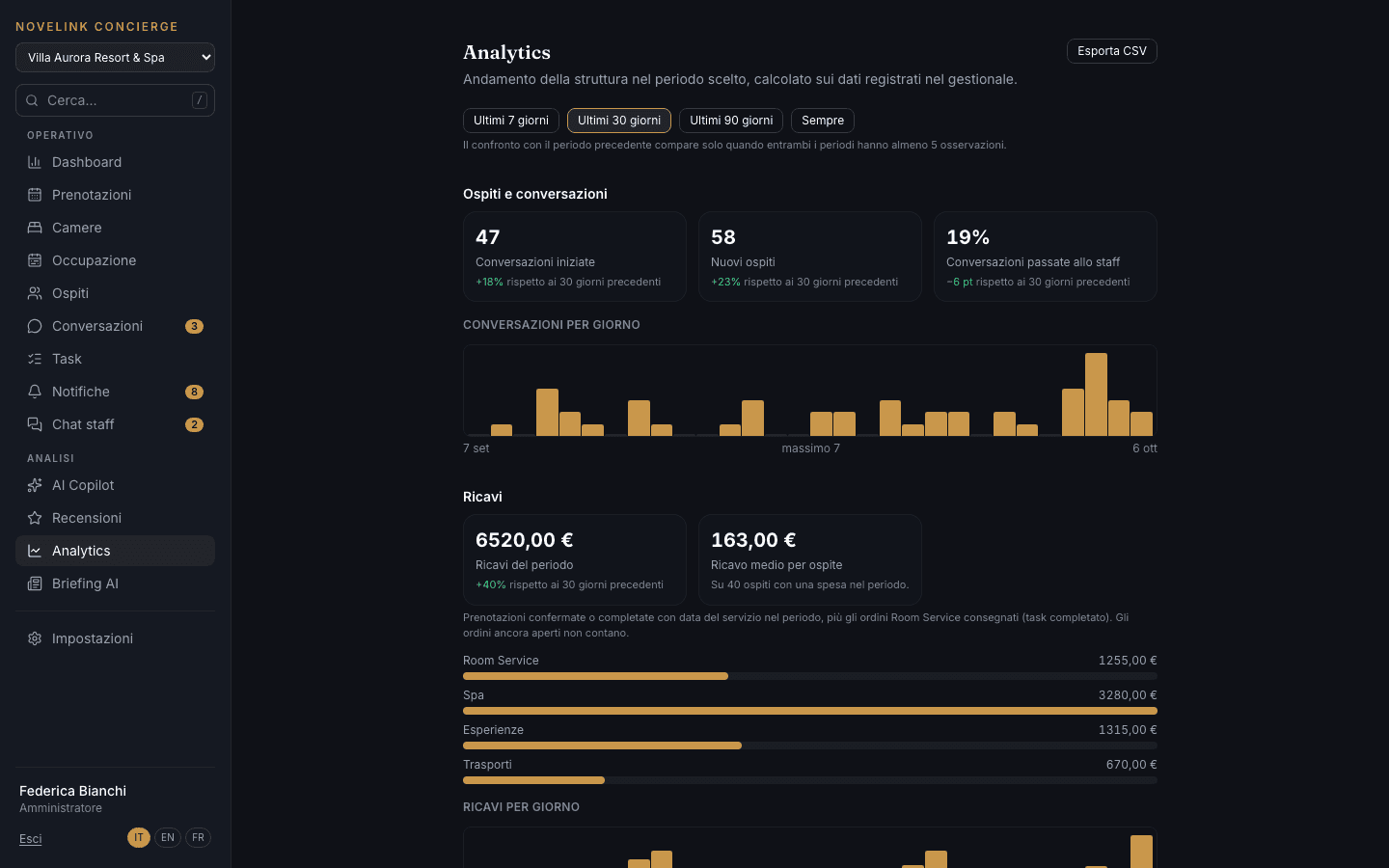
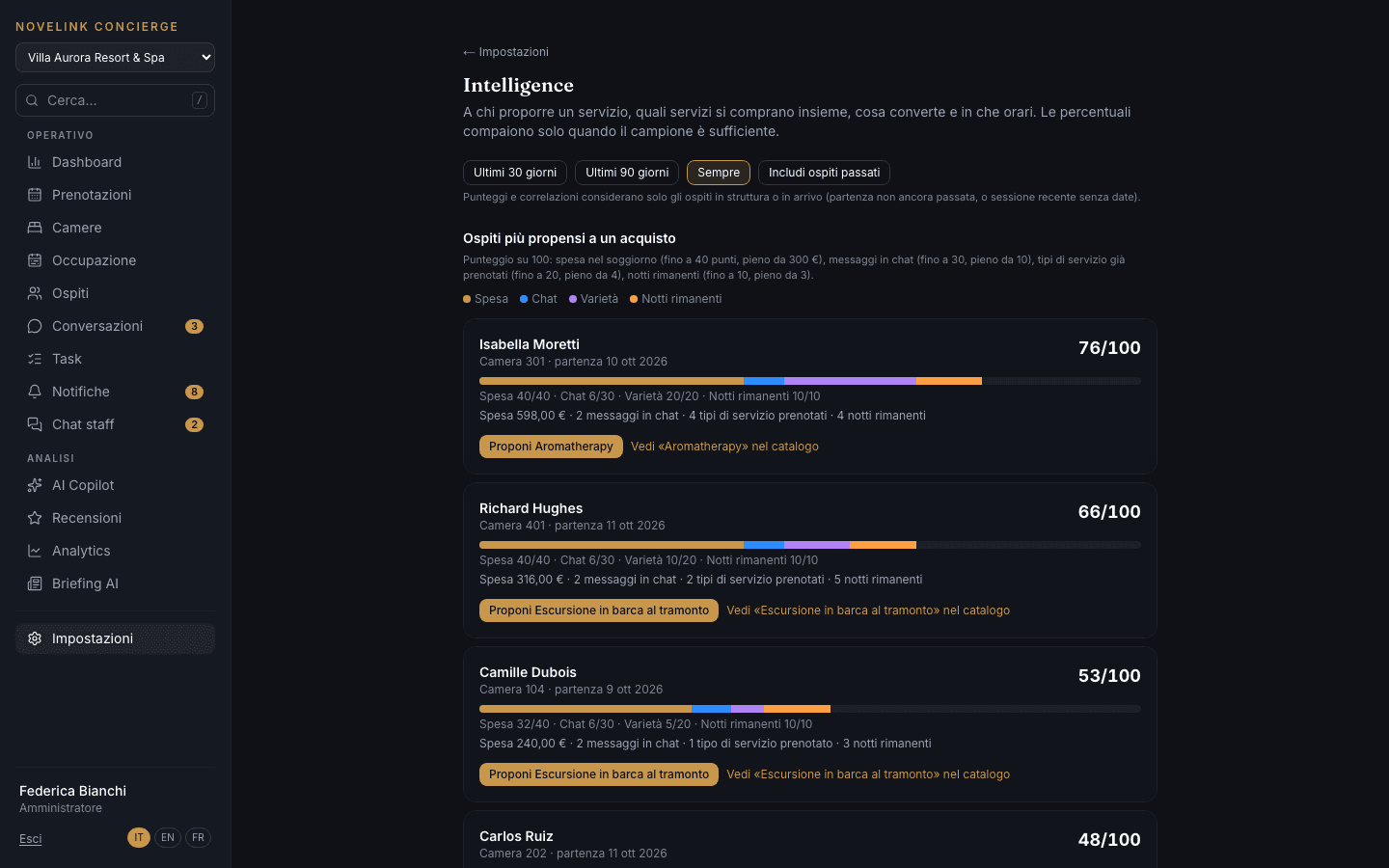
Analytics compares 7, 30 or 90 days with the previous period: conversations, new guests, how many are handed over to staff, revenue from Room Service, spa, experiences and transport, best-selling services, response times and average occupancy. The comparison only appears when the sample is large enough. Intelligence gives every in-house guest a score from 0 to 100 and suggests the service to offer them.
Ask your data
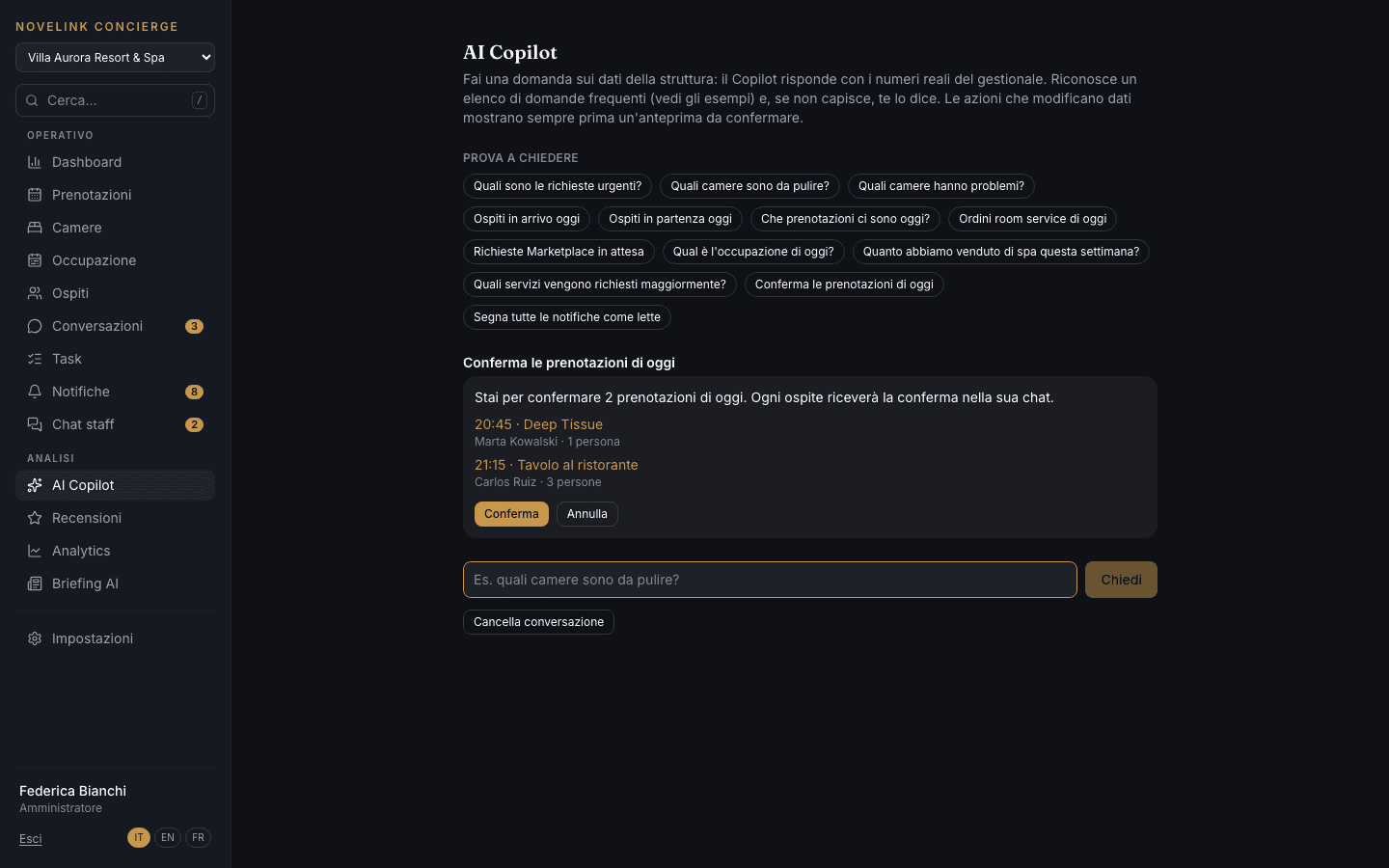
How many rooms need cleaning? Who's leaving today? How much did the spa sell this week? Simple questions that usually mean five open pages.
The Copilot answers a list of frequent questions with real numbers from the management system and, when it doesn't understand, says so instead of making something up. Commands that change data — confirming today's bookings, marking notifications as read — always show a preview of what will be done and run only after you confirm.
The whole stay on the phone, with nothing to download
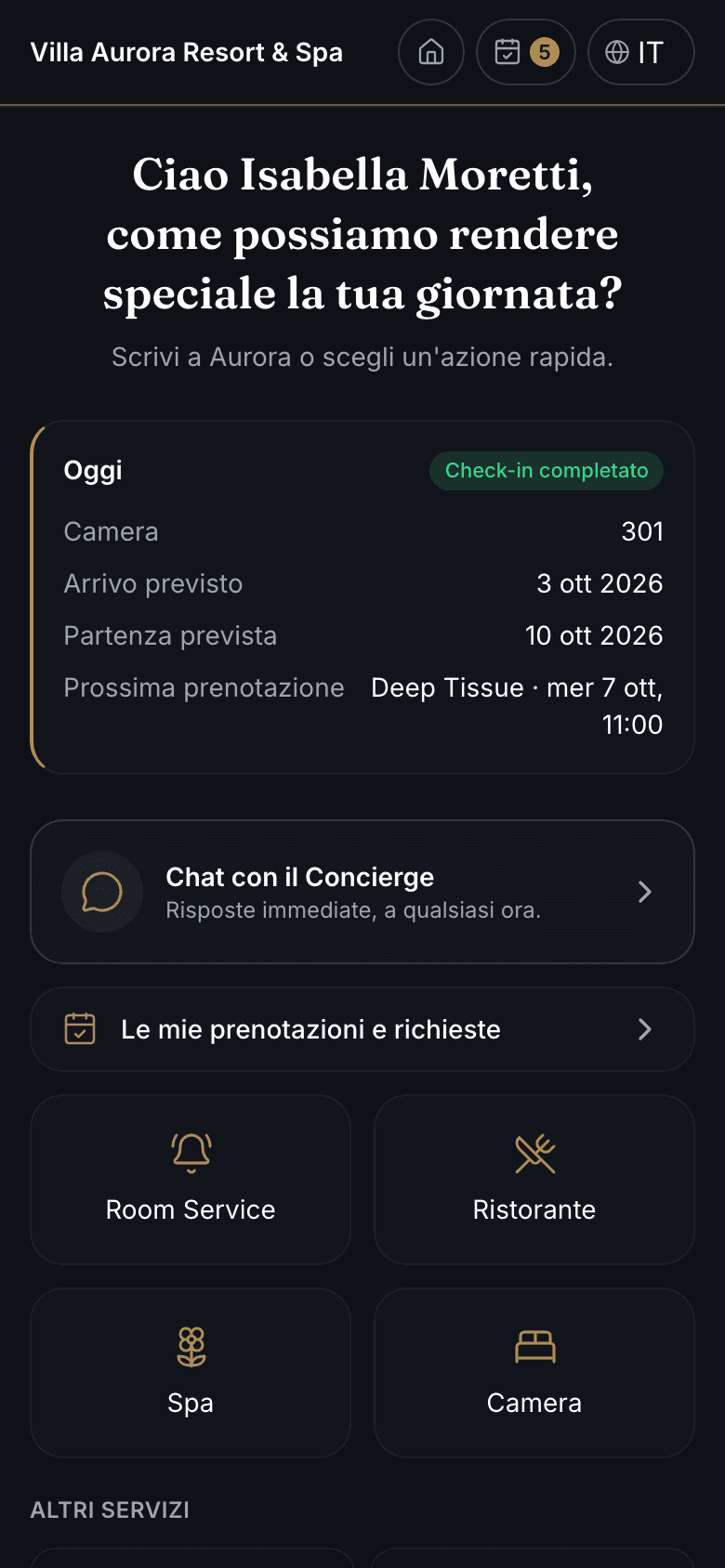
Nobody installs apps they have to download: guests want to scan a QR code and find what they need right away.
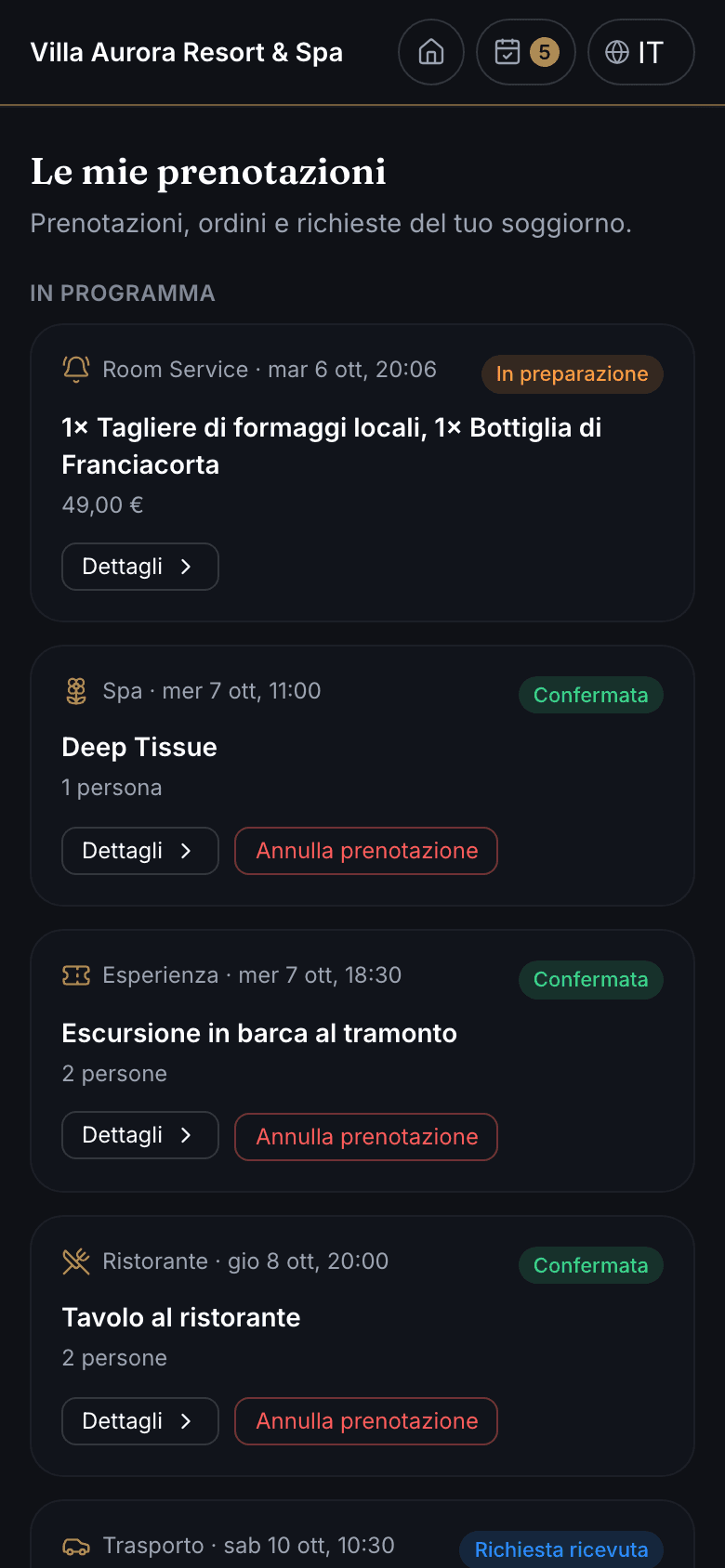
From the property's QR code, the guest opens their own page: the “Today” card with room, dates and next booking, digital check-in, chat with the Concierge and the services — Room Service, restaurant, spa, experiences, transfers, housekeeping, local guide, loyalty. In “My bookings” they see the status of every request and can cancel it. Available in Italian, English and French.
In-room ordering and transfer booking, from the phone
Calling the front desk for a risotto or a car to the airport means waiting around and misspelled flight numbers.
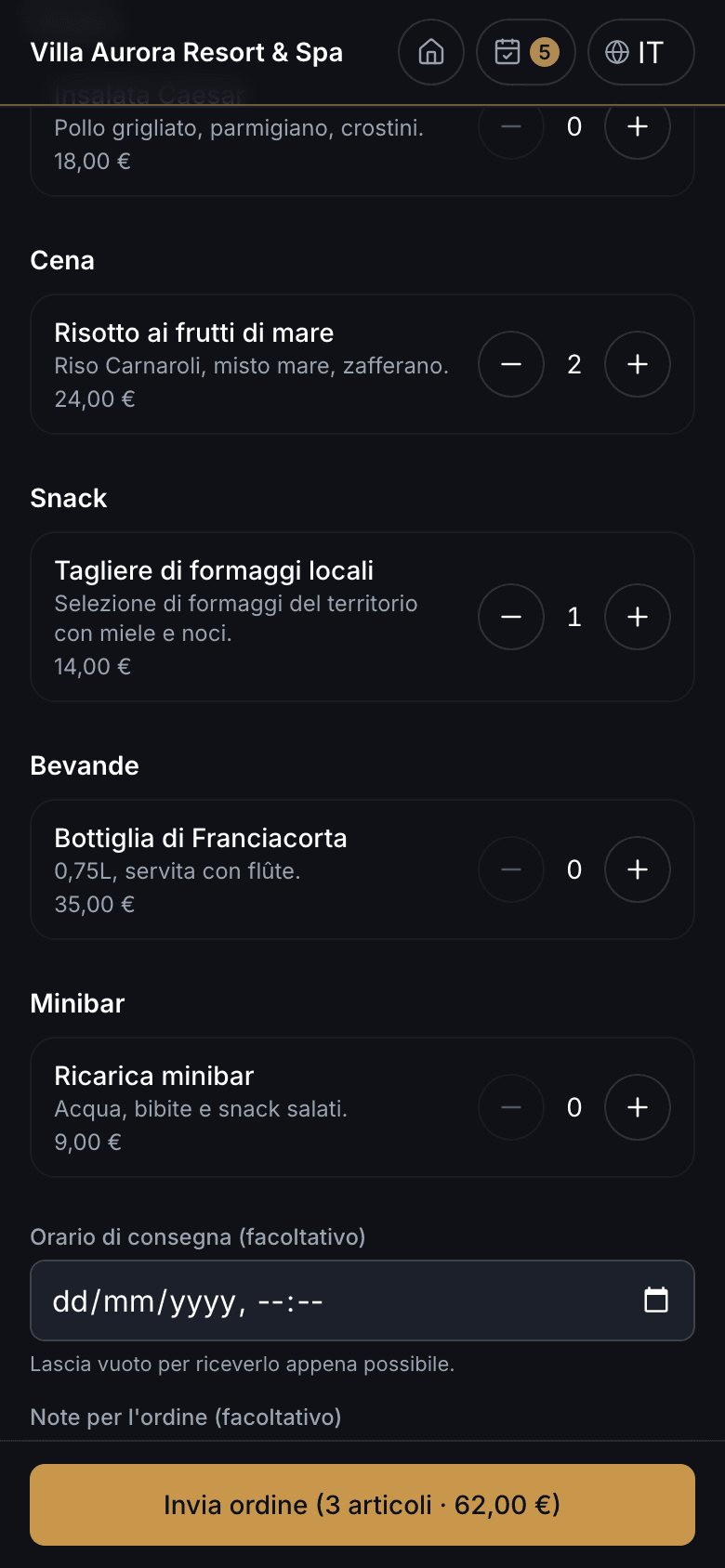
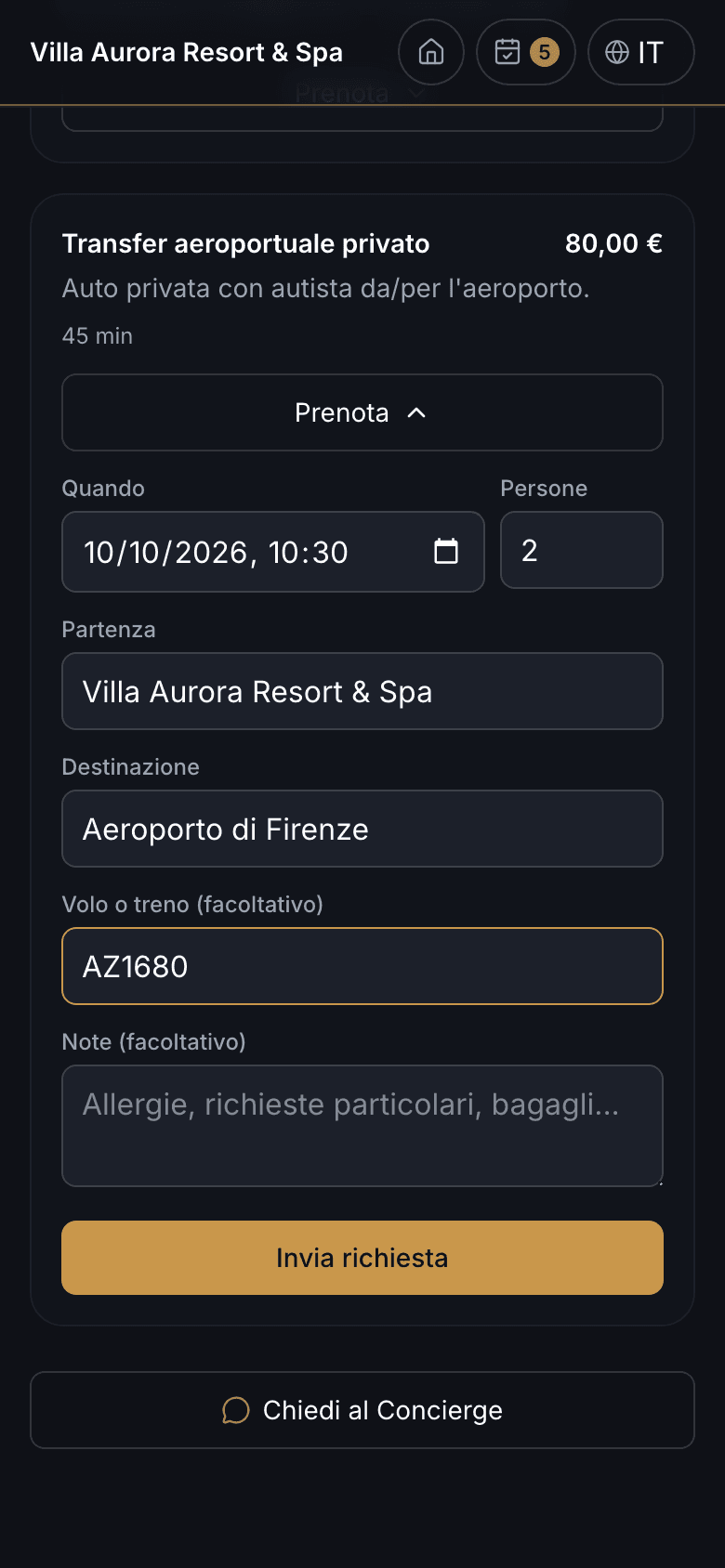
Room Service is a cart with prices, a total and an optional delivery time: the order reaches the kitchen as a task and the guest follows its status. Transfers, spa and experiences are booked by choosing the day, time and number of people — for transfers, also the pick-up point, destination and flight — with capacity and hours already checked. No online payment: the items go into the bill summary.
Frequently asked questions
Yes. You only activate the modules you need: a small property starts with rooms, bookings and guest chat, while a group adds several properties within the same organization.
Ready to take your hotel to the next level?
See how Novelink Concierge can simplify every guest request, from the front desk to housekeeping.