Technology built for restaurants.
One product. Every part of your venue.
Novelink Dine brings together floor, kitchen, inventory, reservations, guests, and analytics in one coherent platform — fast to learn, and even faster to use every day.
See how it works, department by department
Not another piece of software to memorize, but a tool that moves at the real pace of the floor and the kitchen. Scroll to see every part of the platform exactly as you'd actually use it, every day.
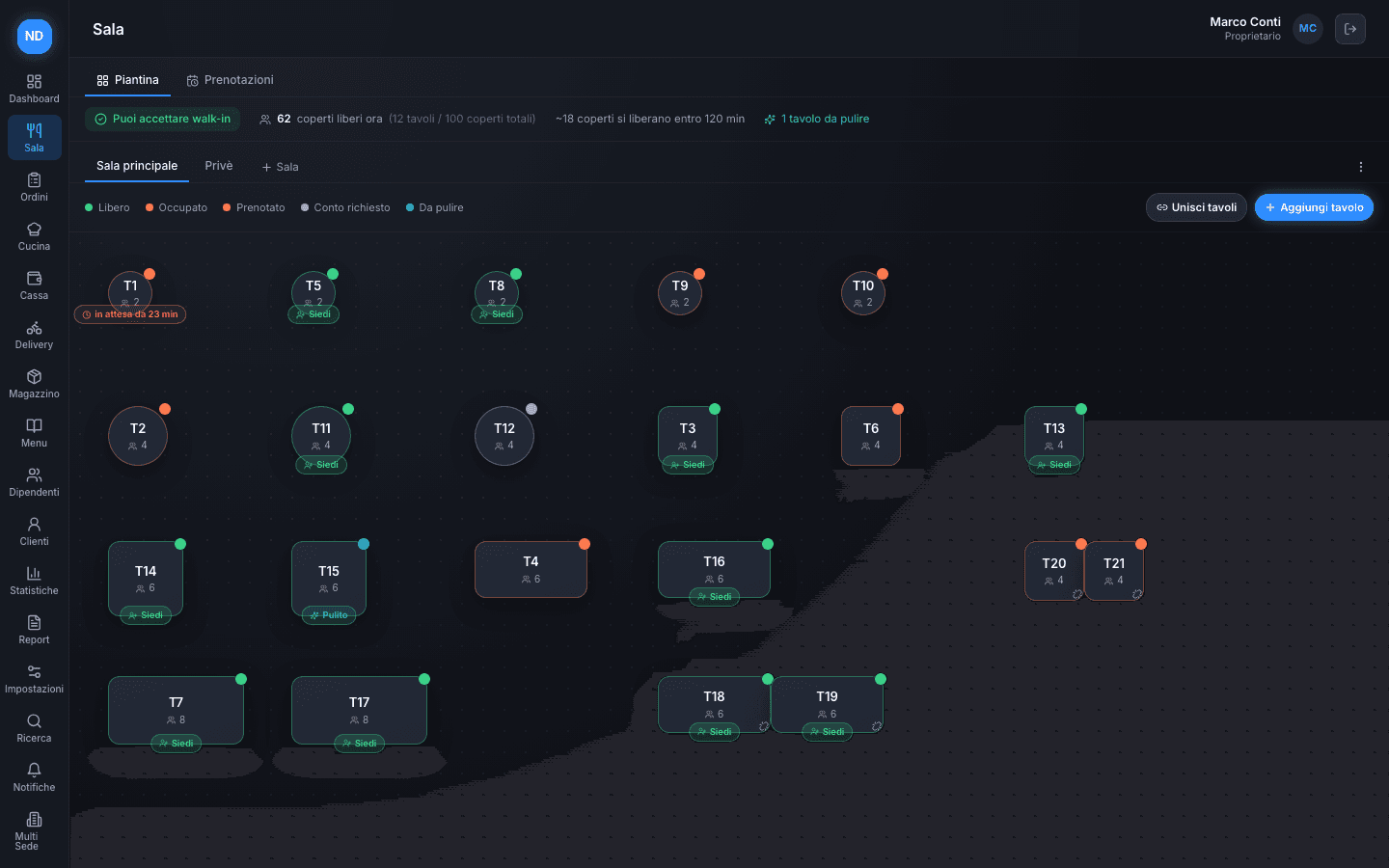
Always know how many tables are really free
The trickiest moment is when a walk-in shows up: deciding whether to seat them is usually a guess — and often the wrong one.
The floor plan shows every table's status in real time, and Novelink automatically calculates how many covers are free right now, and how many will free up soon based on your average meal duration.
Every reservation, from first contact to the table
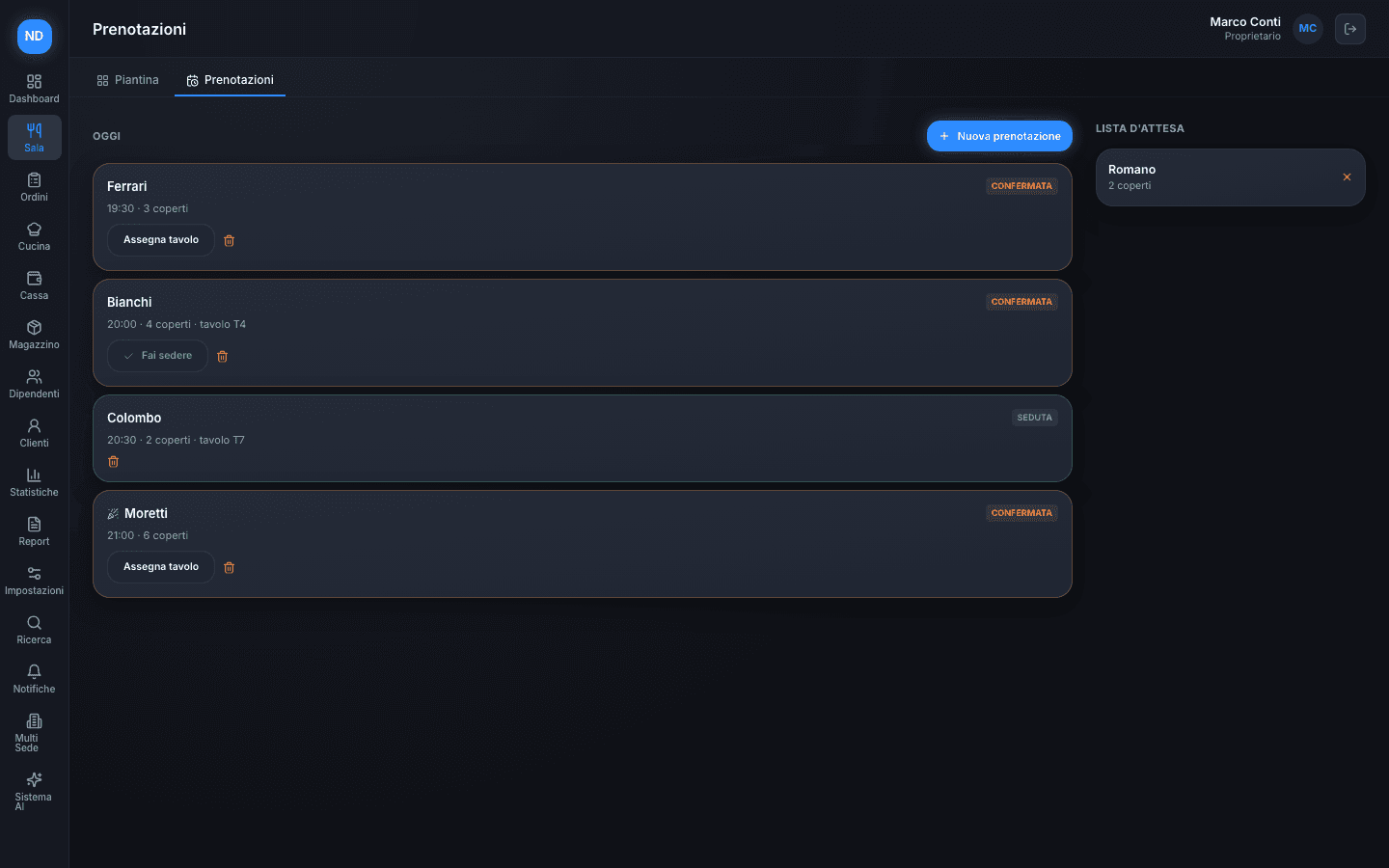
A notebook, WhatsApp, a phone call — reservations come in from everywhere and get lost exactly on the busiest nights.
Every reservation for the day in one list, with a separate waitlist for anyone without a confirmed time yet. Assign a table and seat the guest in two taps.
Your guests book themselves — the phone never sounds busy
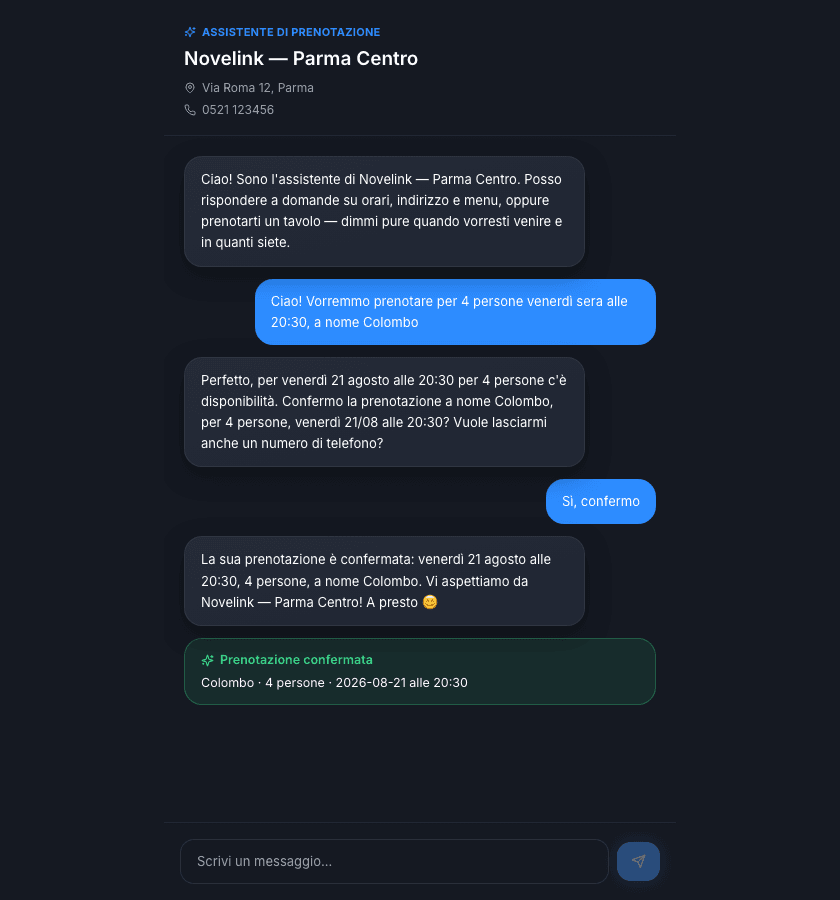
After hours, mid-service, while the phone's already ringing for another table: a missed reservation is a guest who tries the place next door.
An always-on conversational assistant answers questions about hours, address, and menu, and books a table on its own — checking real availability and offering another time if the requested one is full. Staff find it already in Reservations, without ever picking up the phone, and the guest gets an automatic confirmation email.
From the table to the kitchen, course by course, no paper
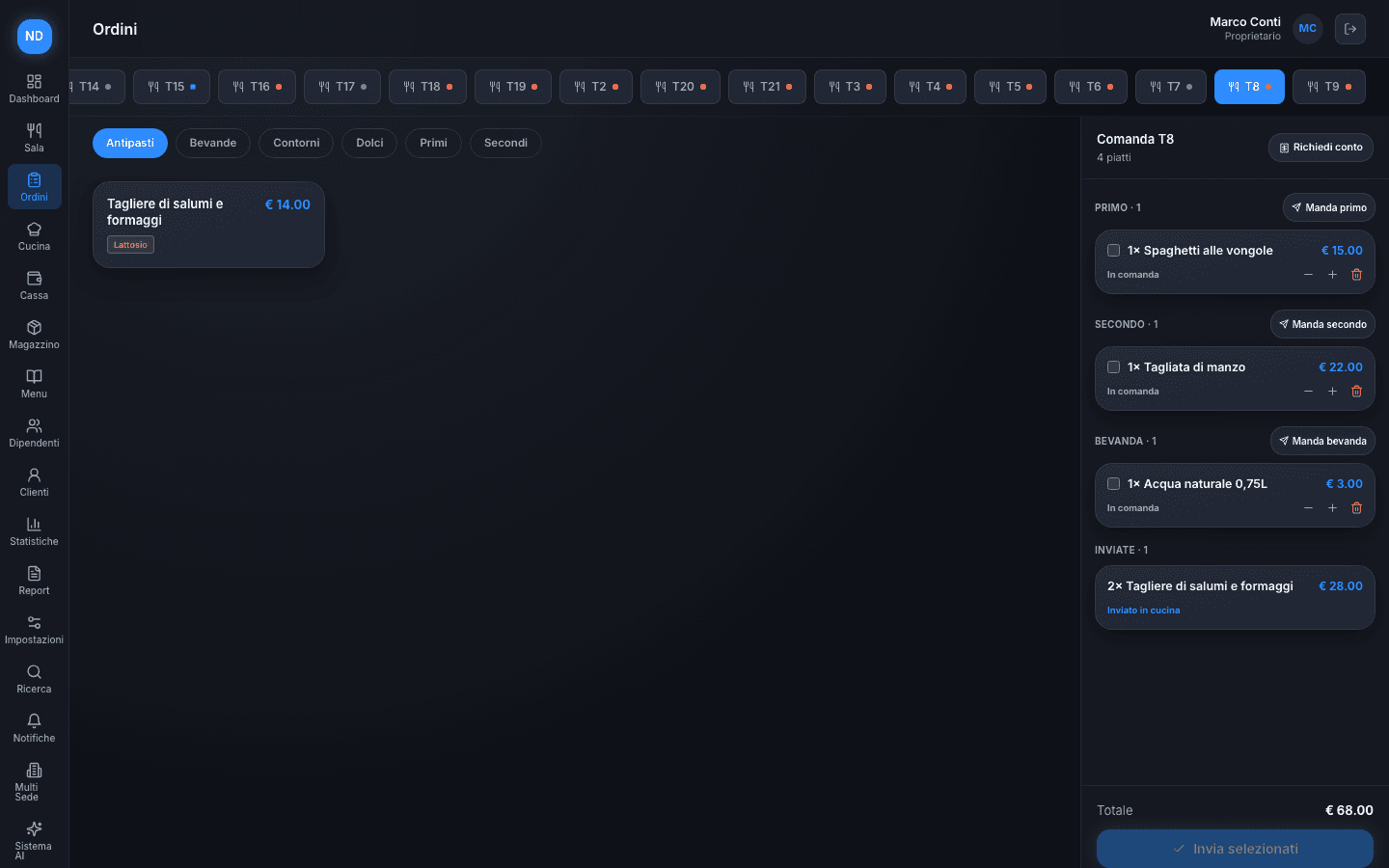
Handwritten tickets that get lost, are hard to read, or reach the kitchen late cost you wrong dishes and unhappy guests.
Your server taps dishes on the menu, the ticket organizes itself by course, and it's sent to the kitchen with one tap — by round or dish by dish. When the table asks for the bill, one tap is all it takes: the floor knows right away, no need to go check.
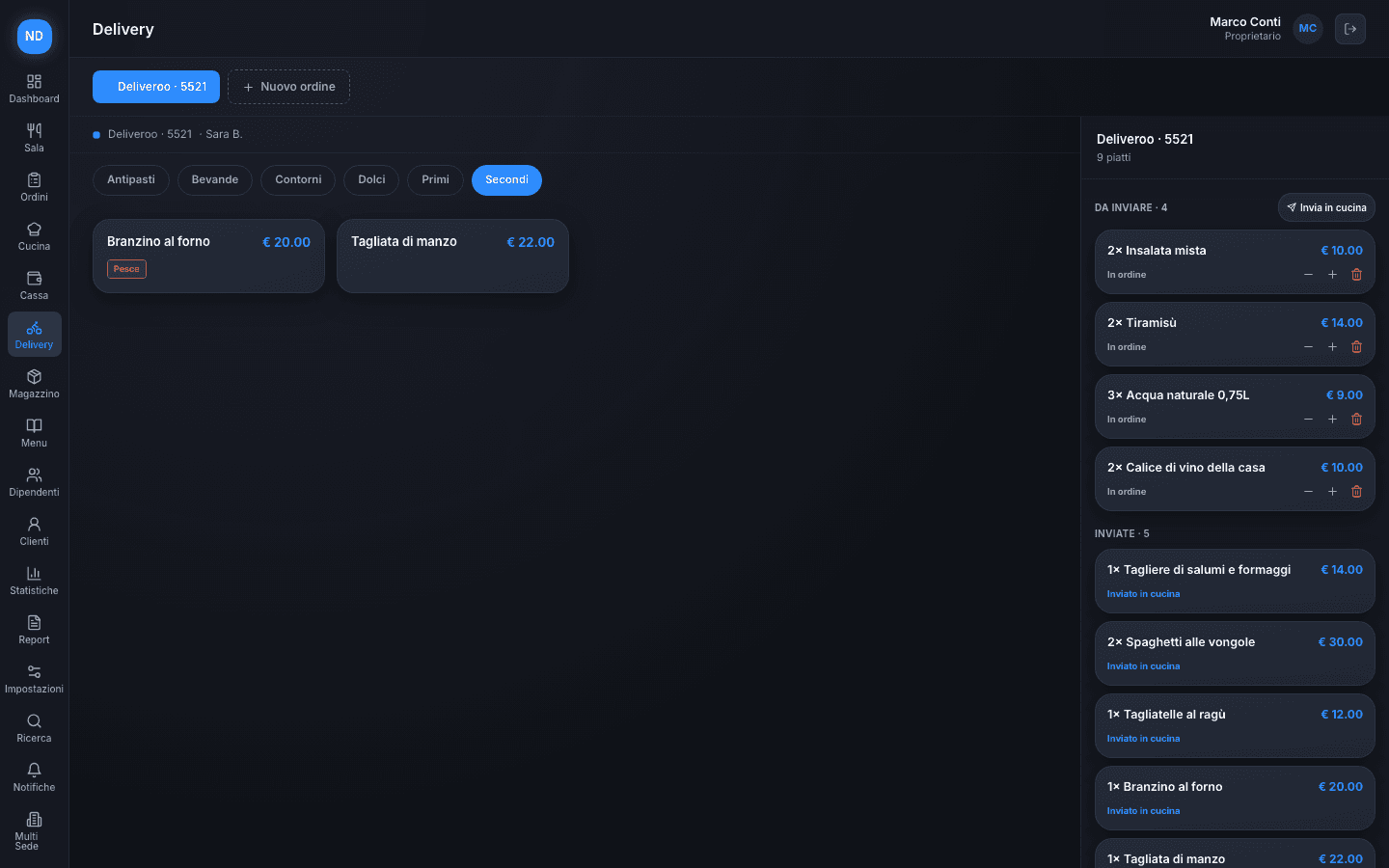
Guests order from the QR, and pay from their phone if they want
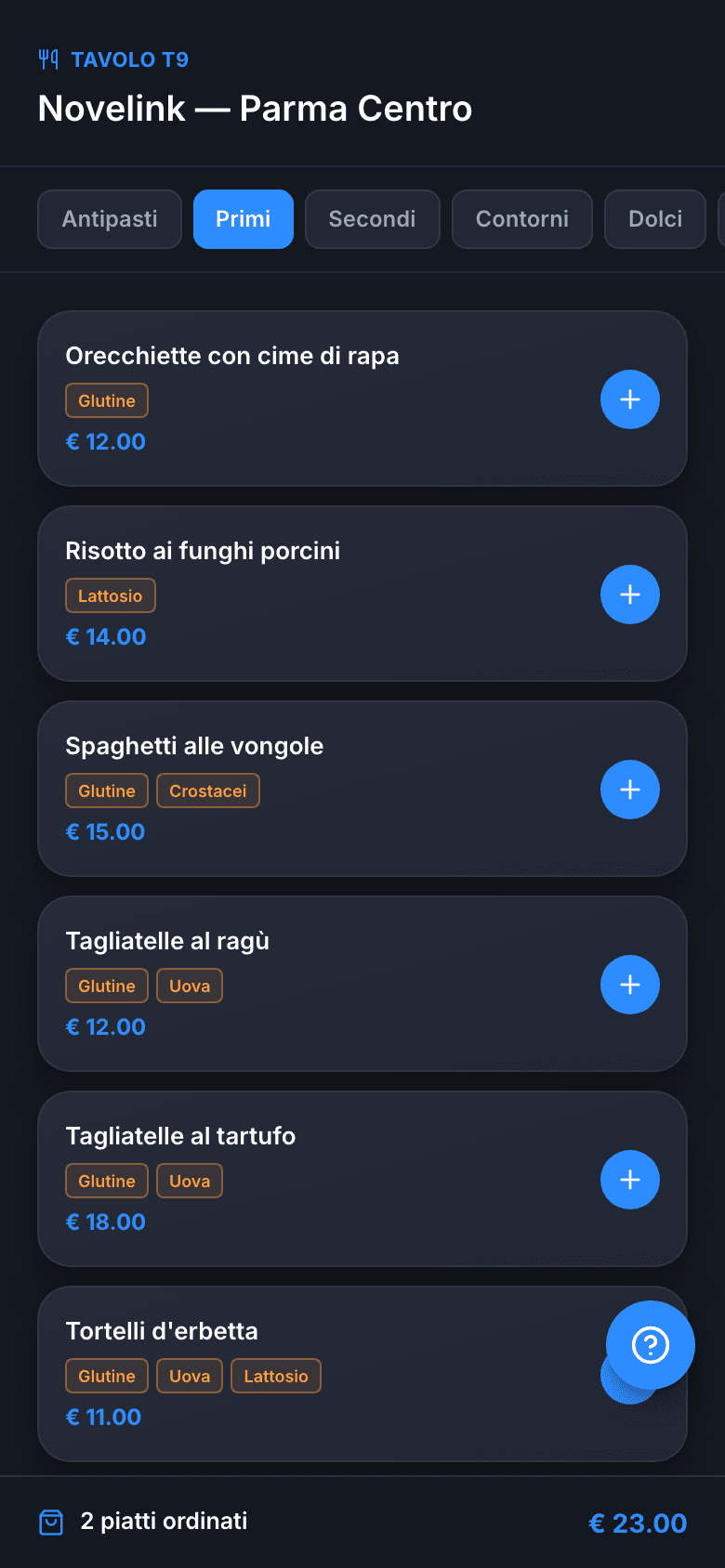
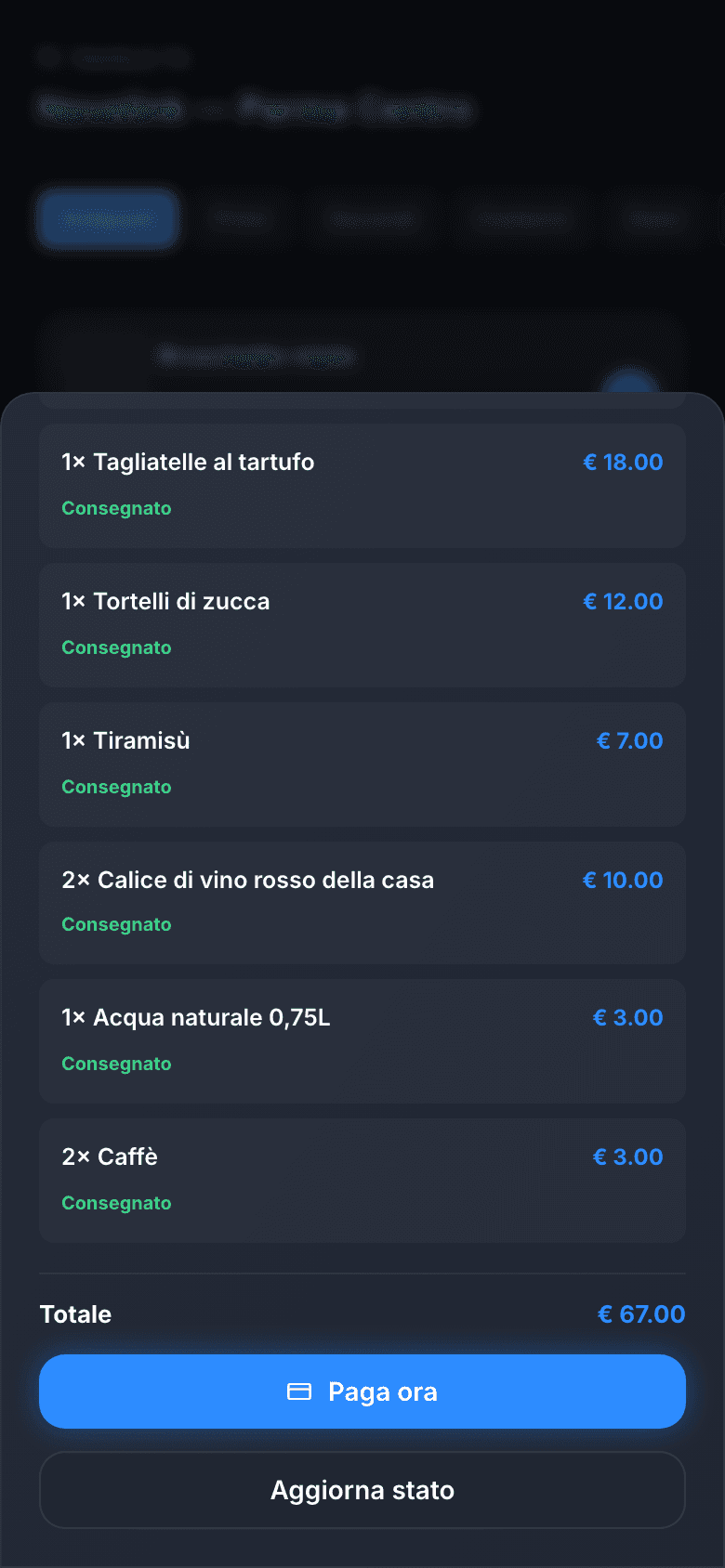
At the end of a meal, the longest wait is often the bill: the table waits for the server, the server waits for the POS.
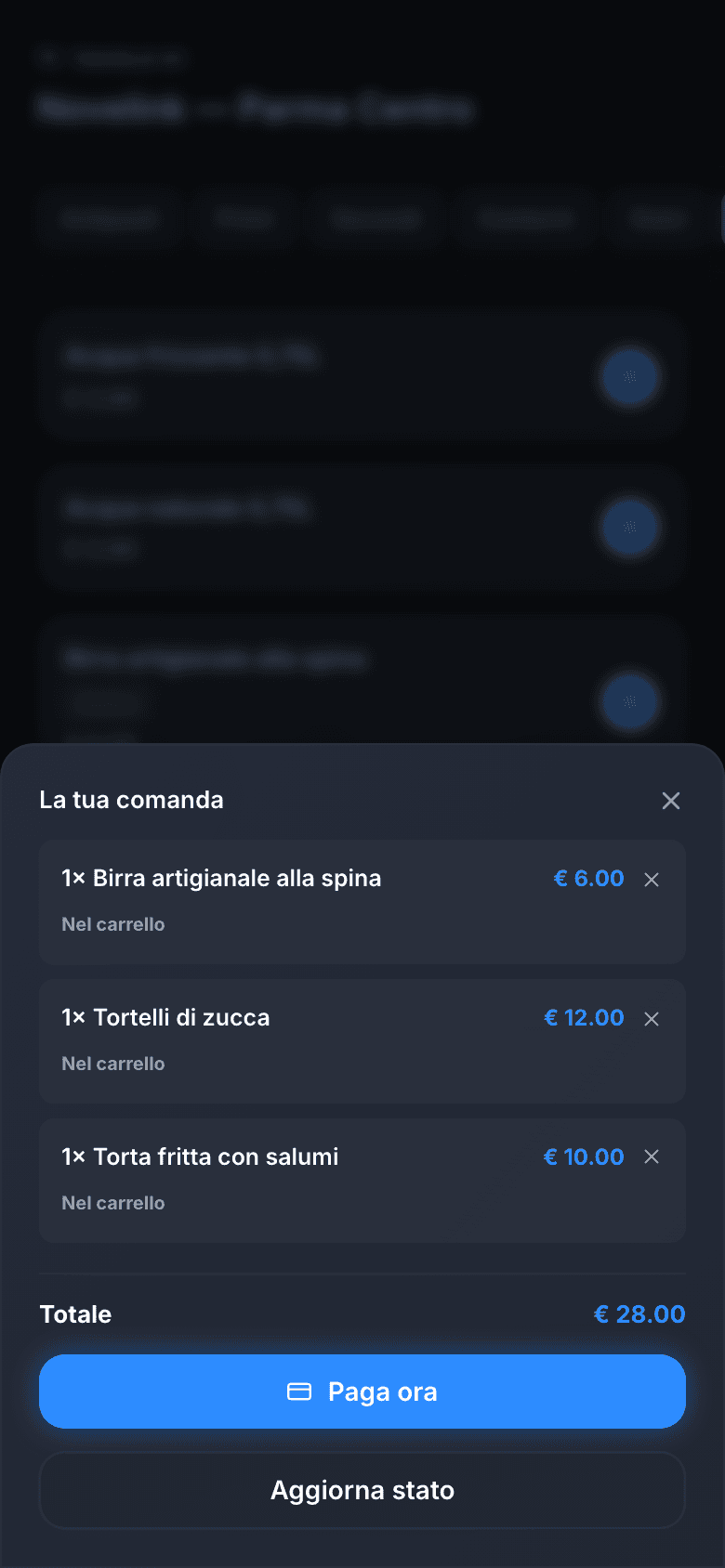
Every table has its own QR: guests browse the menu with prices and allergens, add dishes and follow their ticket from their phone. If you turn on phone payments, once the dishes are served the bill is settled by card or Satispay, cover charge included, without waiting for anyone.
Every course, right on time — even when the table splits up
When one guest wants just a starter and another jumps straight to the main, syncing the kitchen by hand turns into a puzzle — and the risk is a dish that lands too early or too late.
The ticket groups itself by course — starters, first courses, mains — and your server decides when to fire each round to the kitchen. If one guest wants to get a head start while the rest are still on their starter, they send that dish alone with one tap, without waiting for the whole table.
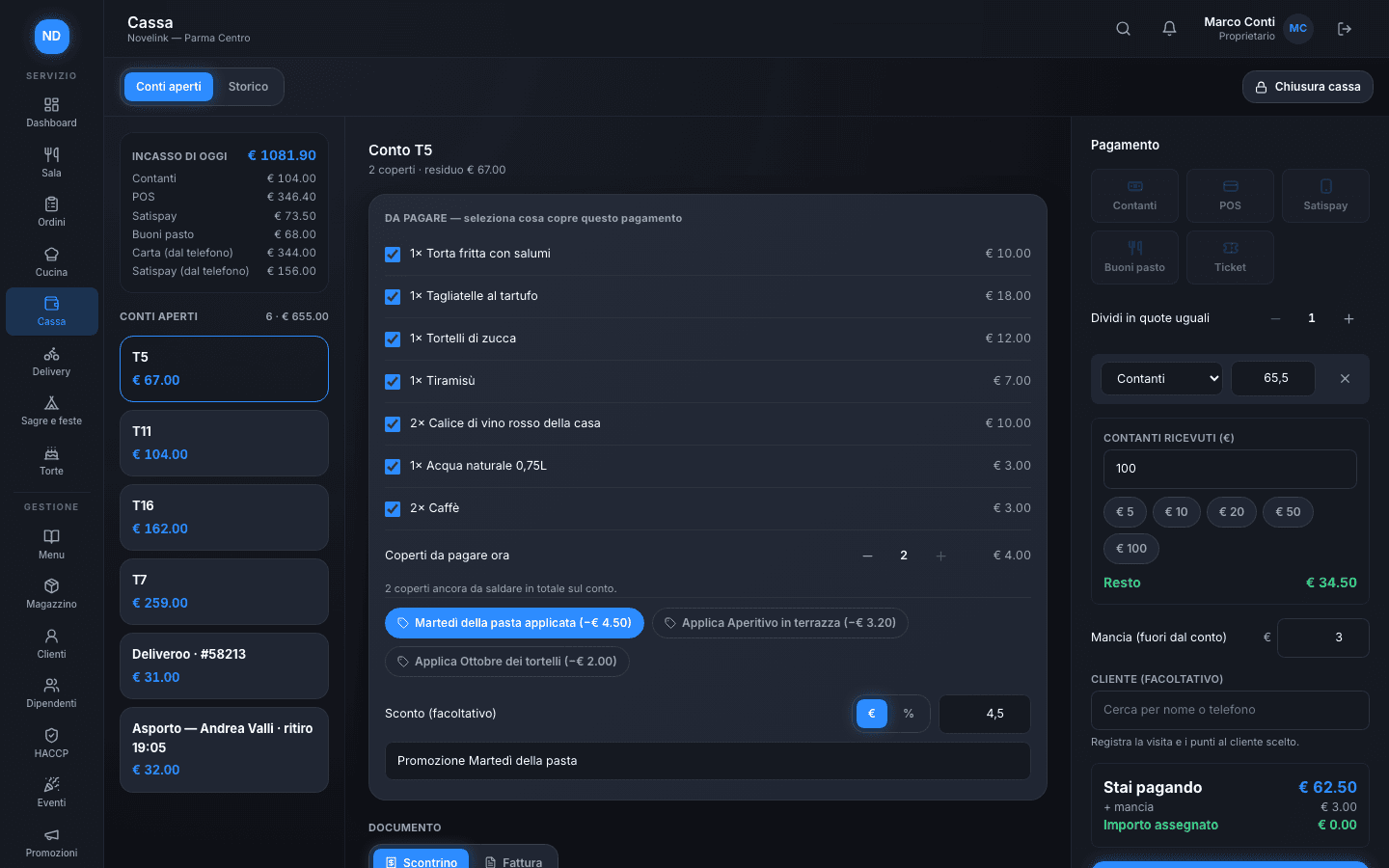
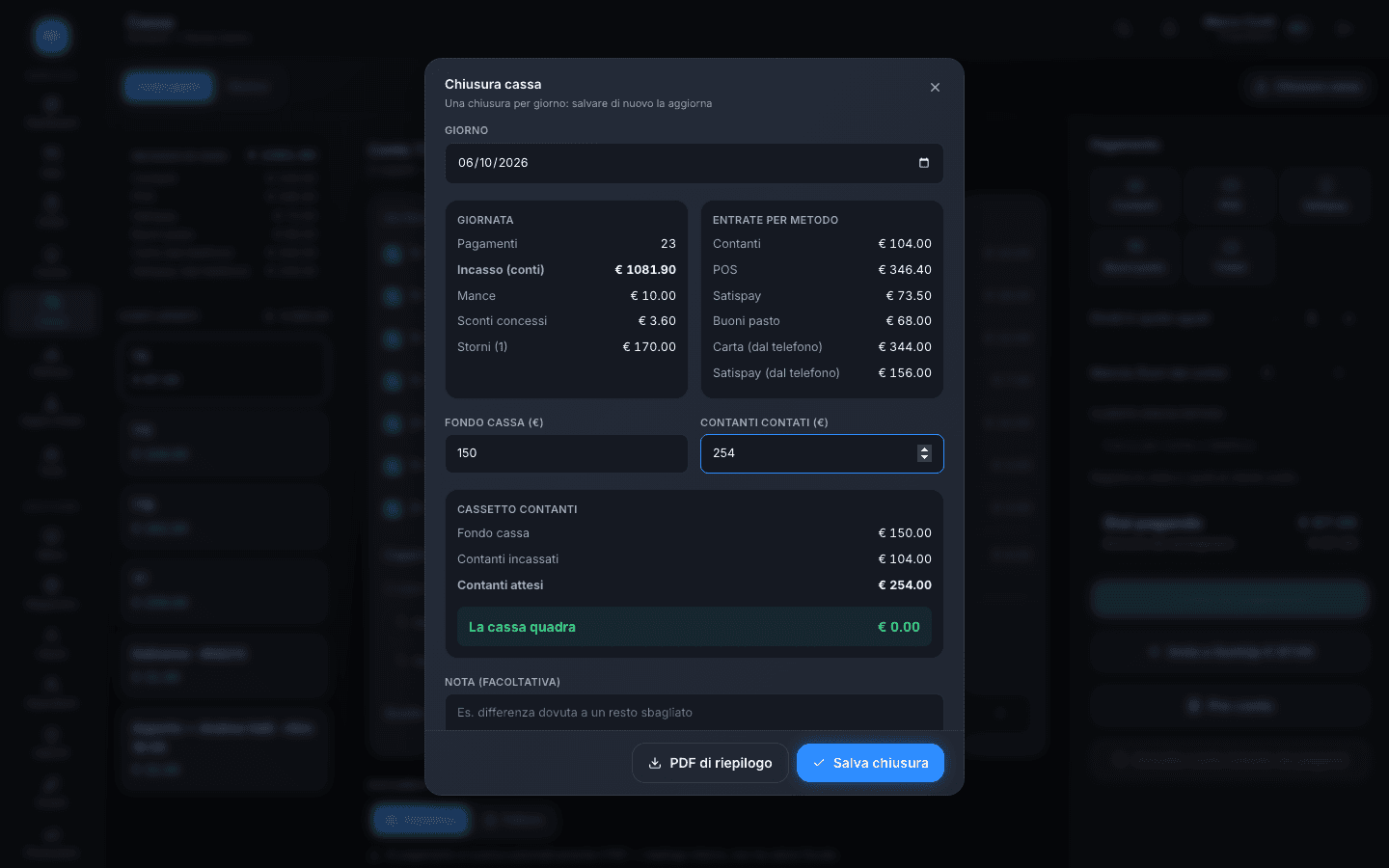
The bill closes in a few taps, and at the end of the night the till balances
Change worked out in your head, tips jotted on a scrap of paper, a payment rung up twice: at the end of the night the numbers never add up the first time.
In Till you choose what each person pays, apply the promotions valid at that moment and take cash, POS, Satispay or meal vouchers: Novelink works out the change and keeps the tip off the bill. At the end of the day, the till close tells you how much should be in the drawer and whether the difference checks out.
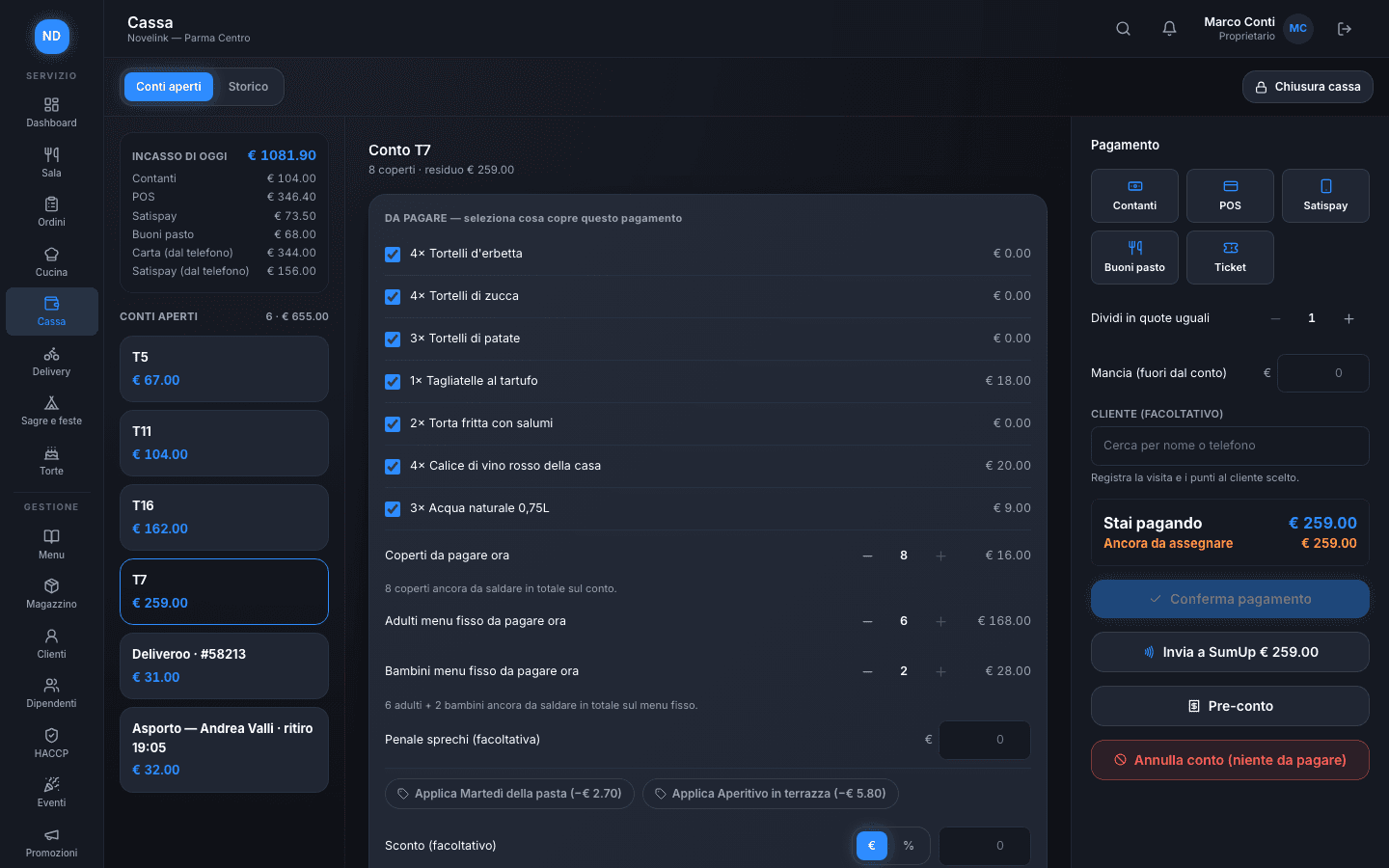
Per-person pricing that calculates itself, dish by dish
All-you-can-eat bills are easy to get wrong by hand: how many courses each adult actually had, which dishes are outside the set price, how many children pay the reduced rate.
Activate the tariff on the table with adults and children, the waiter marks each dish as included or extra while ordering it, and at checkout the bill is already sorted: covers, AYCE tariff, and any extra dishes broken out line by line.
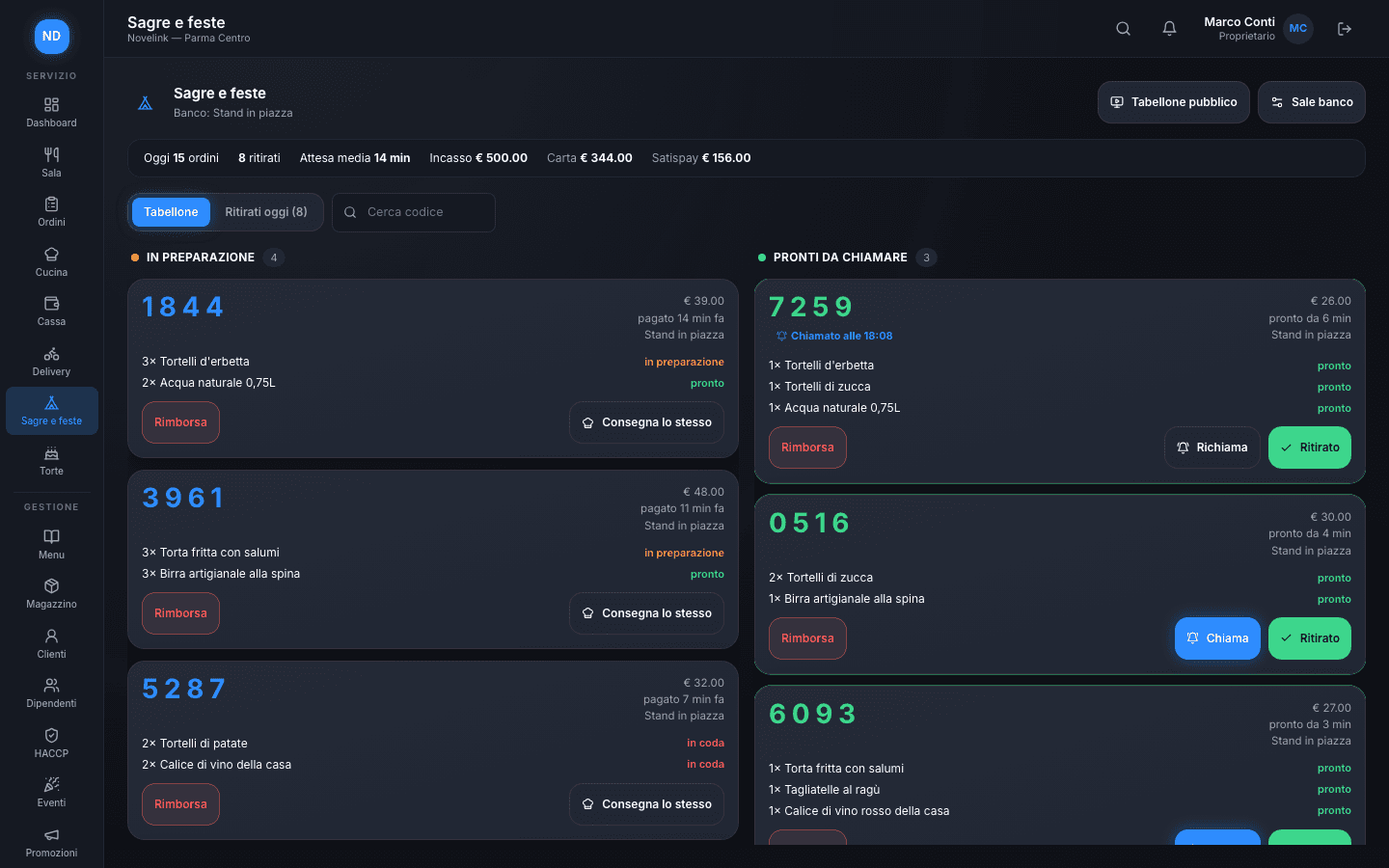
At the stand, people pay first, and you call the number
At a food festival, the queue at the till is longer than the one at the counter: orders are given out loud, paid in cash, and whoever is waiting never knows if their dish is ready.
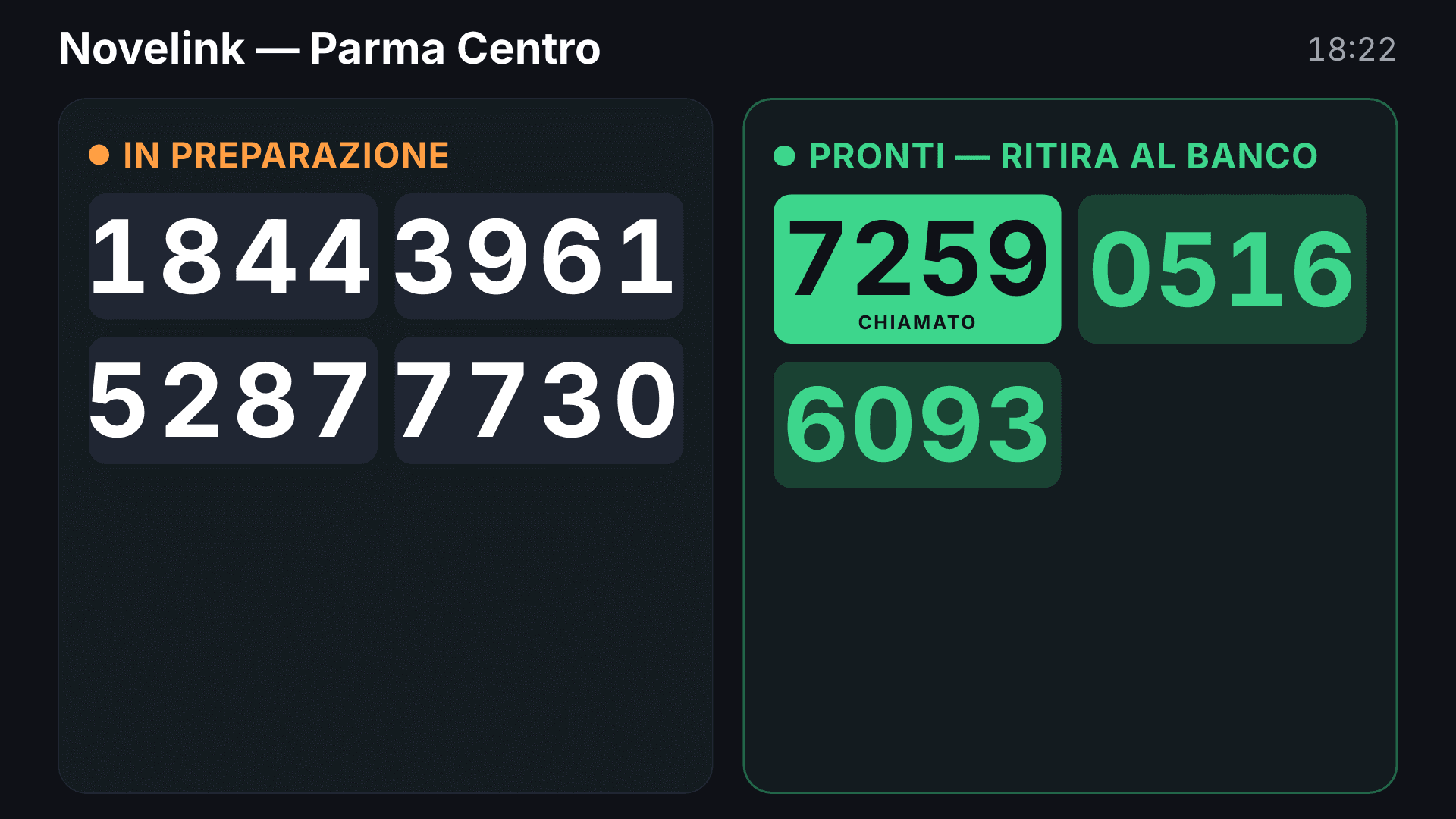
At the stand, everyone orders and pays from their own phone, even with a single QR: the order only reaches the kitchen once payment goes through. The customer gets a pickup number; at the counter you see what's being prepared and what's ready, tap “Call” and the number appears on the public board, on any screen or TV.
Stock under control, no surprises in the kitchen
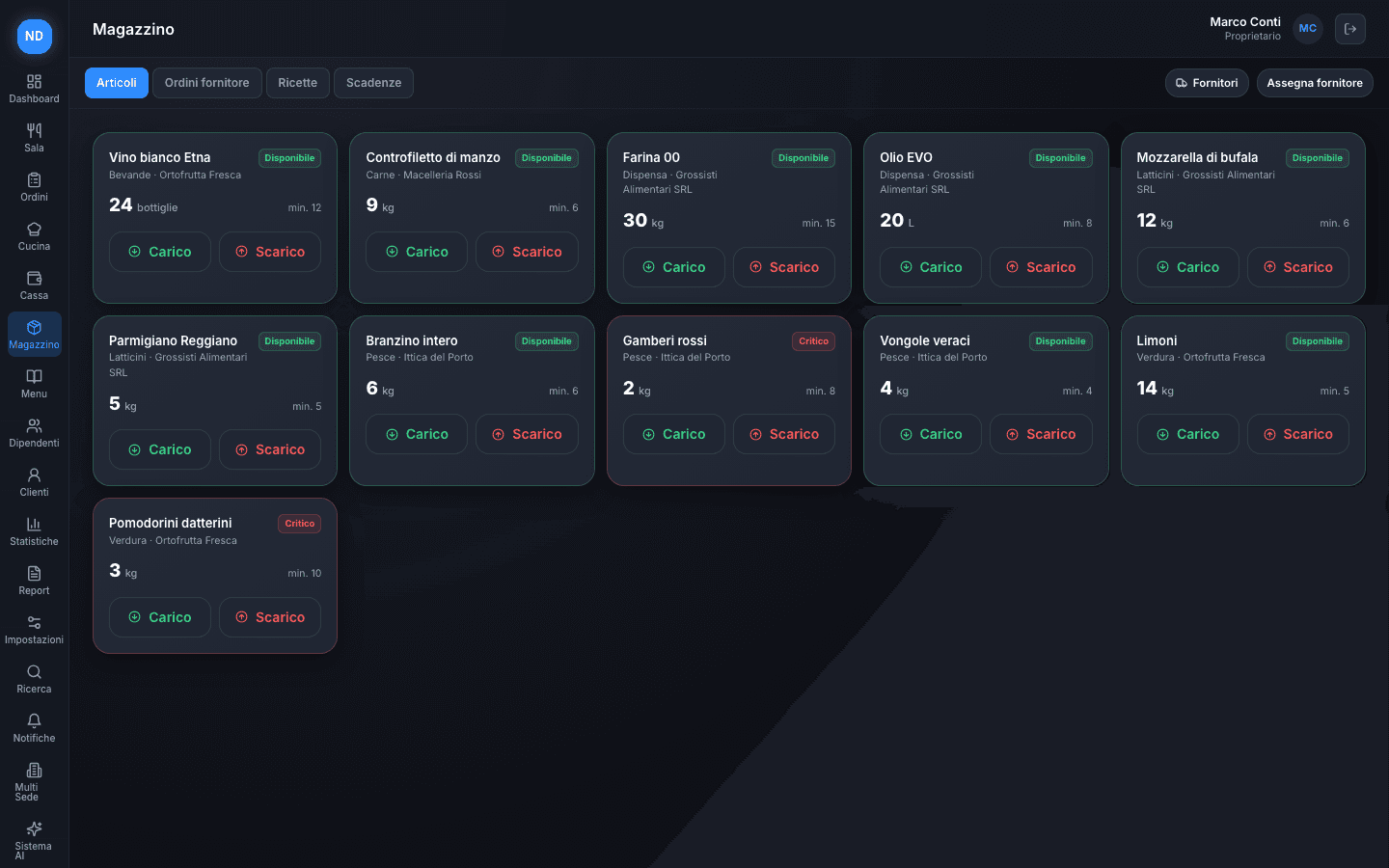
Running out of an ingredient mid-service means pulling a dish from the menu at the last minute — and knowing which supplier to call isn't always obvious.
Every item has its own minimum threshold: when it drops below, Novelink flags it right away, with the linked supplier ready for the order. Stock in and out is logged in one tap, and the cost per dish updates itself.
Know how much beer is left in every keg, and how many deposits you're owed
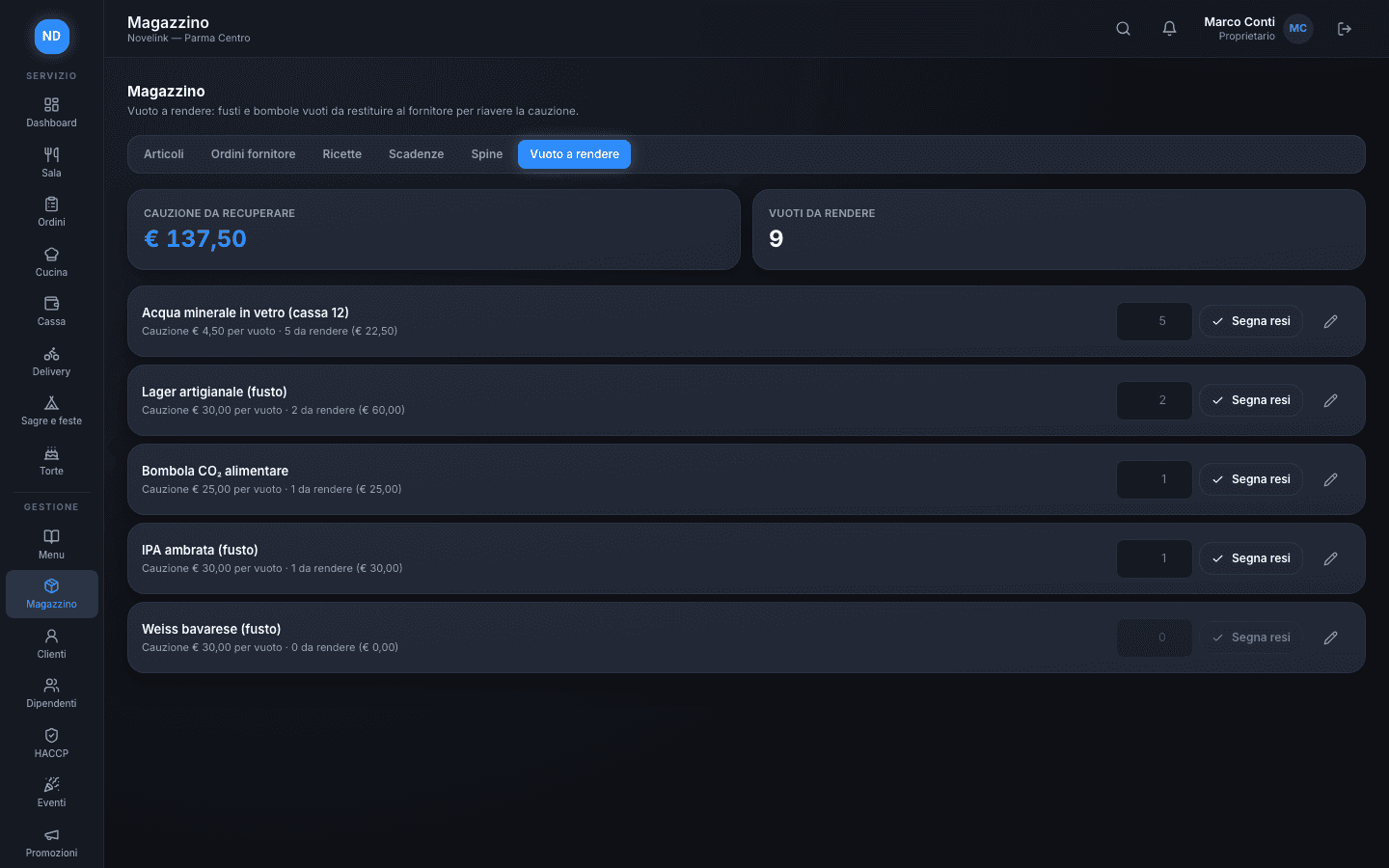
A keg that runs dry mid-evening gives no warning, and the empties stacked in the stockroom are deposit money nobody is counting.
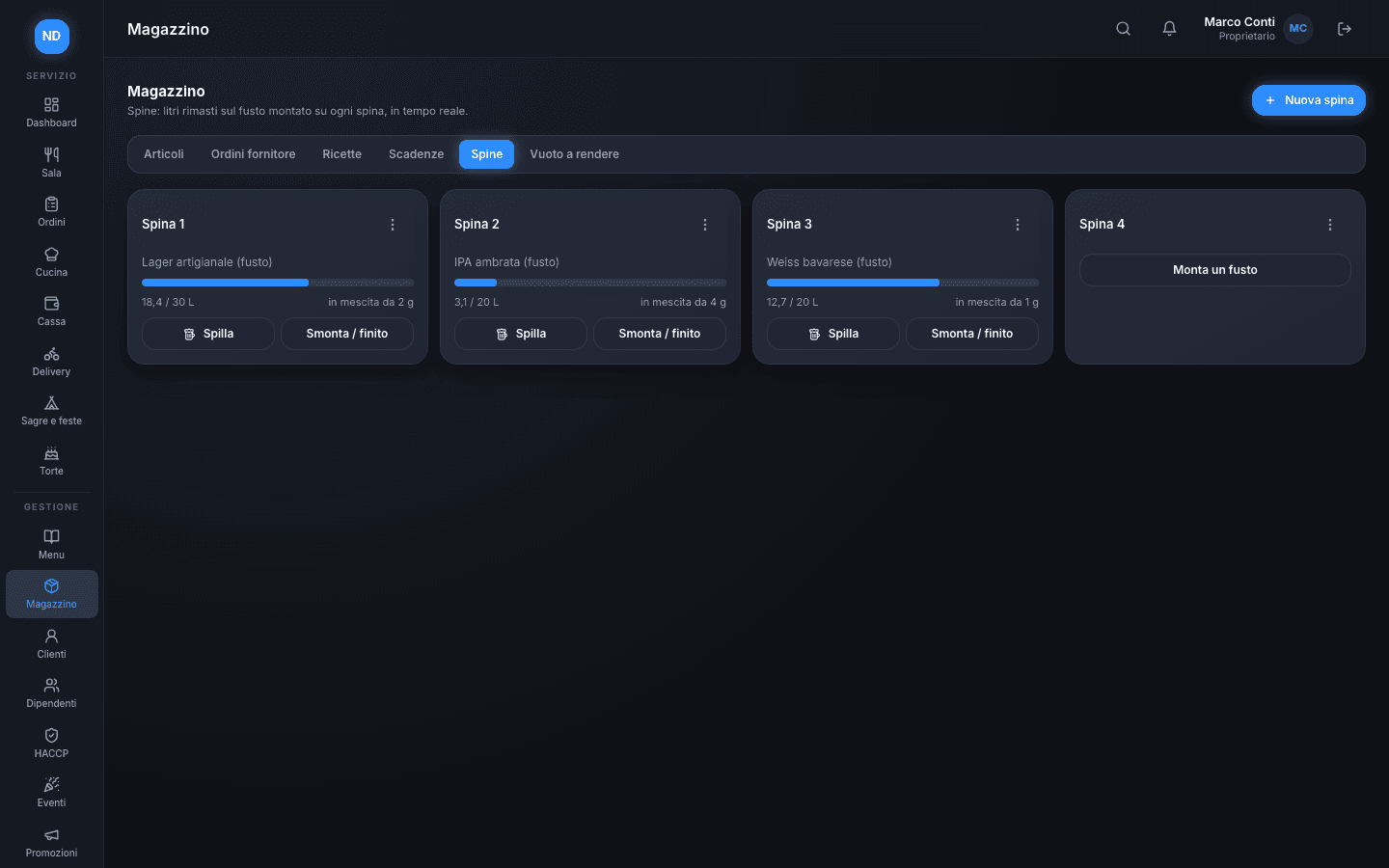
Every tap shows the keg connected to it and the liters left, updated with every pour; when it runs out, you swap it for a new one in a single step. Kegs, gas cylinders and crates with a deposit go into returnable empties: you see how many empties you have and how much deposit you still need to recover from the supplier.
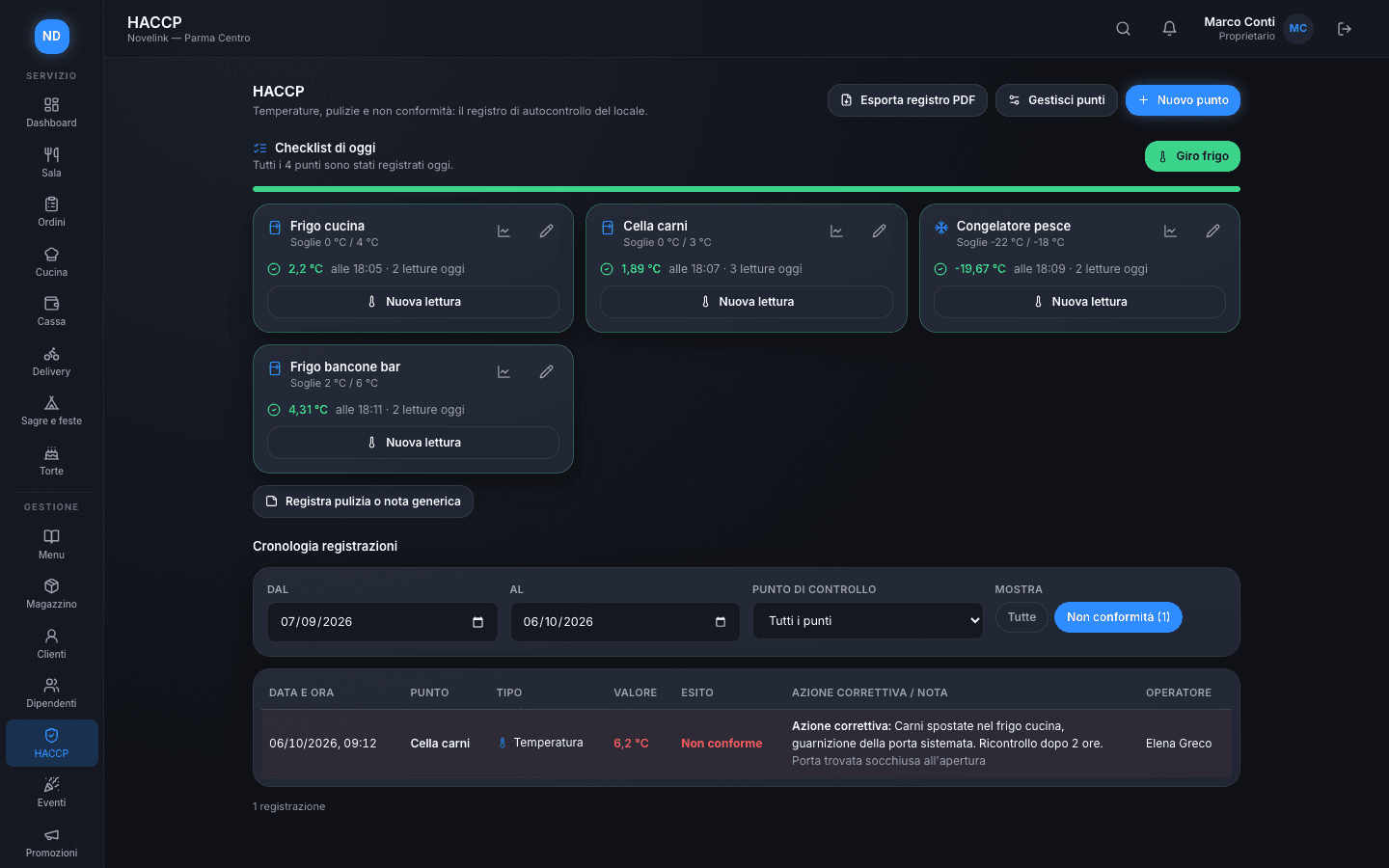
The HACCP log on a tablet, not in a stained notebook
Temperatures get written down at the end of the shift, from memory, and when something's off, the corrective action stays in the head of whoever was there.
Set up fridges, cold rooms and freezers once, with their thresholds: every day the checklist tells you what's missing and the “fridge round” logs every point in one go. A reading out of range is marked as non-compliant and requires a corrective action; the log exports to PDF for inspections.
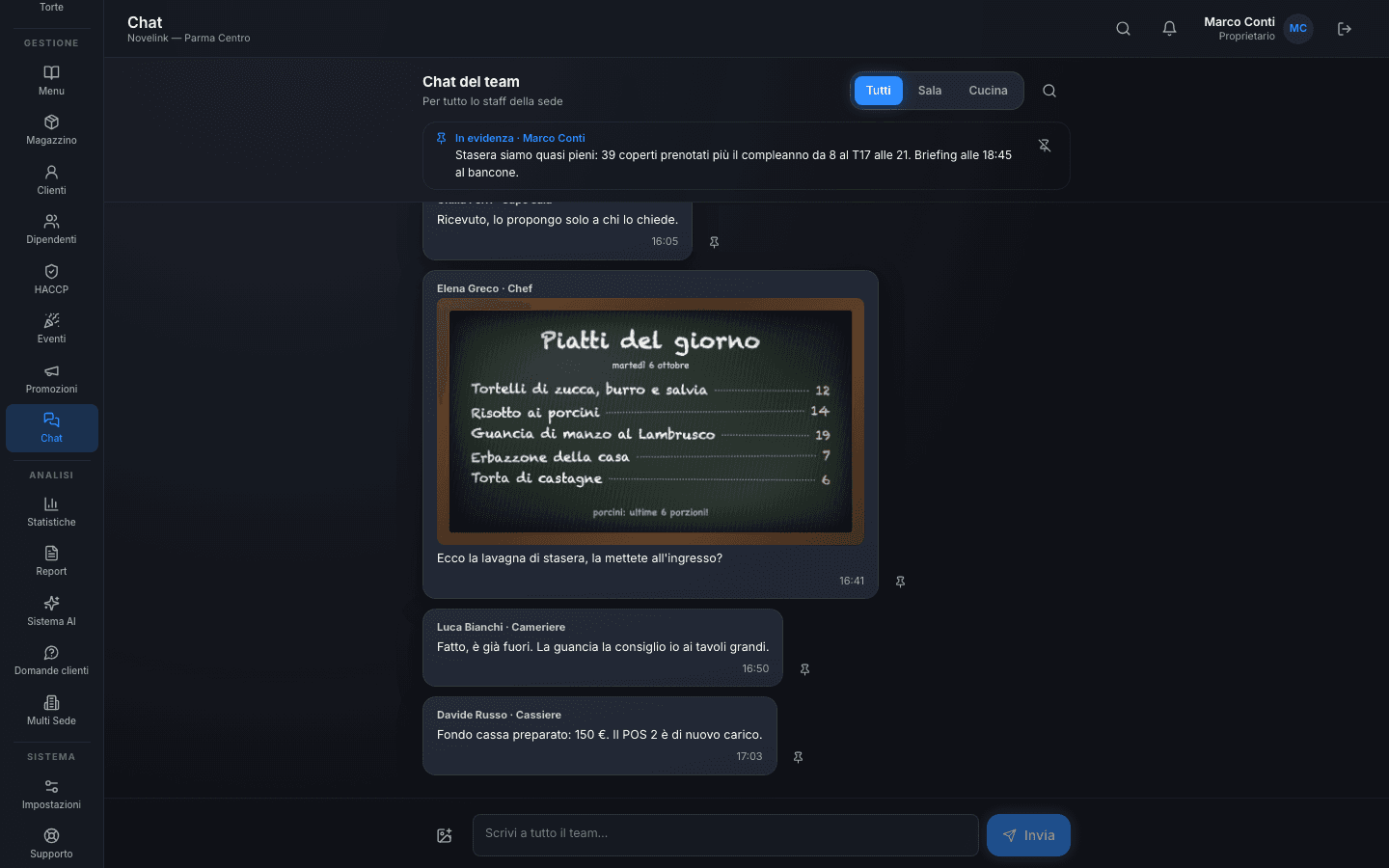
Service communication, all in one place
In the venue's WhatsApp group, shifts, photos and important messages get mixed up, and what matters disappears in ten minutes.
A chat built into the platform, with channels for the whole team, the floor and the kitchen: every message shows who wrote it and in what role, photos go straight from the phone, and the important message is pinned at the top, so whoever comes in later finds it right away.
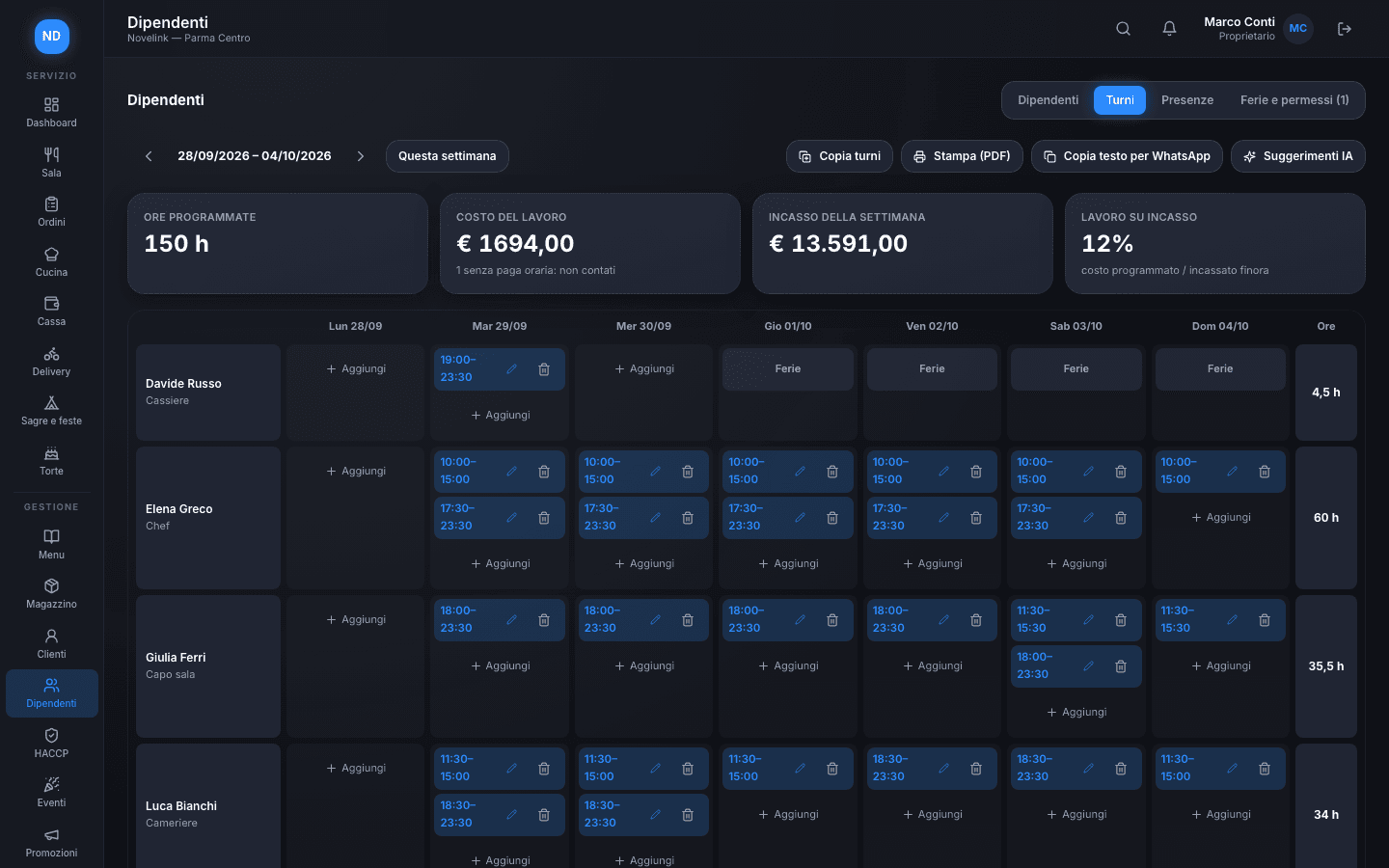
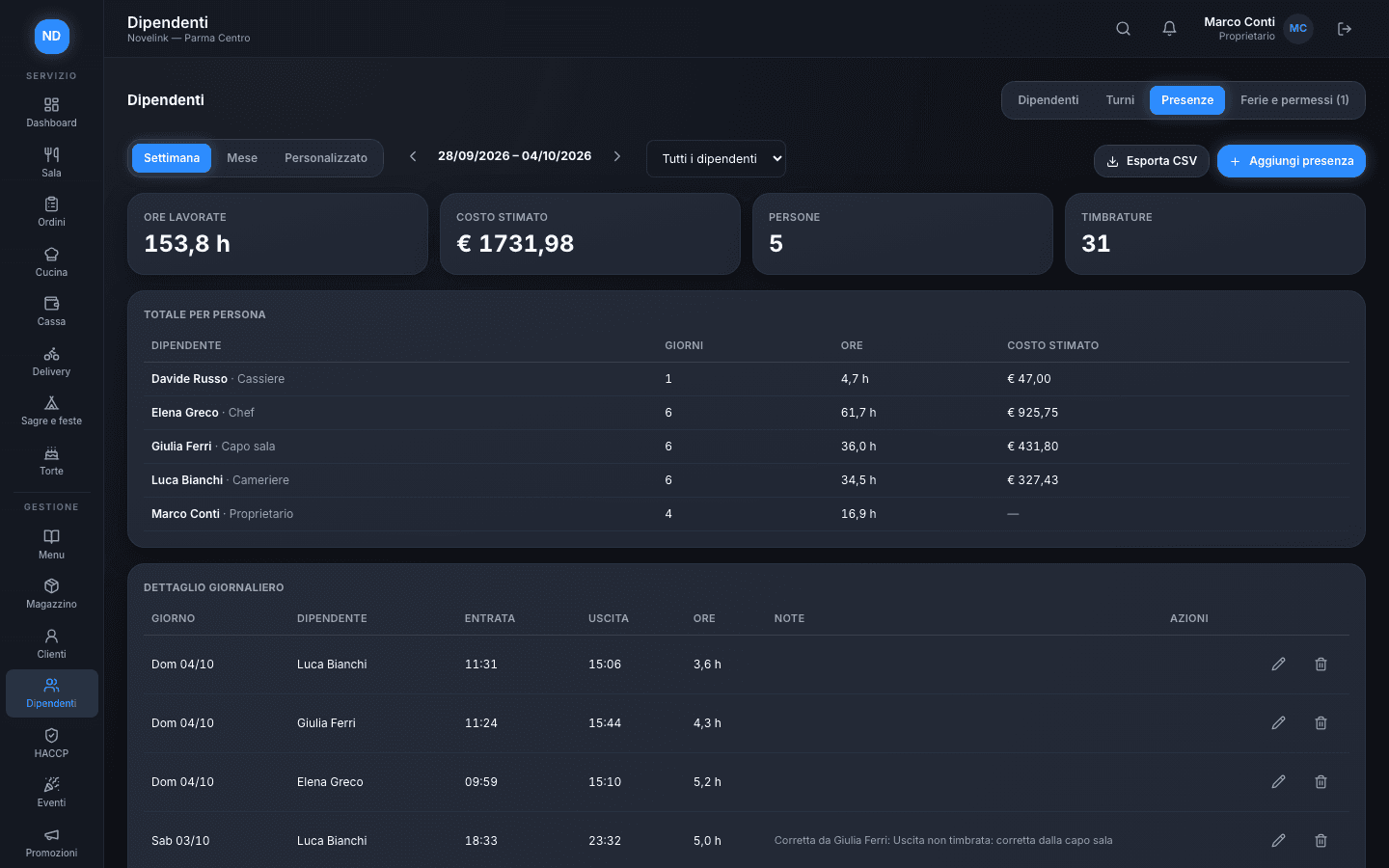
Shifts, clock-ins and labor cost on the same page
The shift sheet is on the notice board, hours worked are on another sheet, and you only find out what staff really cost at the end of the month.
Plan the week person by person, with exceptions and time off already in view, print it to PDF or copy it into WhatsApp, and see scheduled hours and labor cost against revenue right away. Staff clock in and out from the platform; every correction records who made it and why, and attendance exports to CSV.
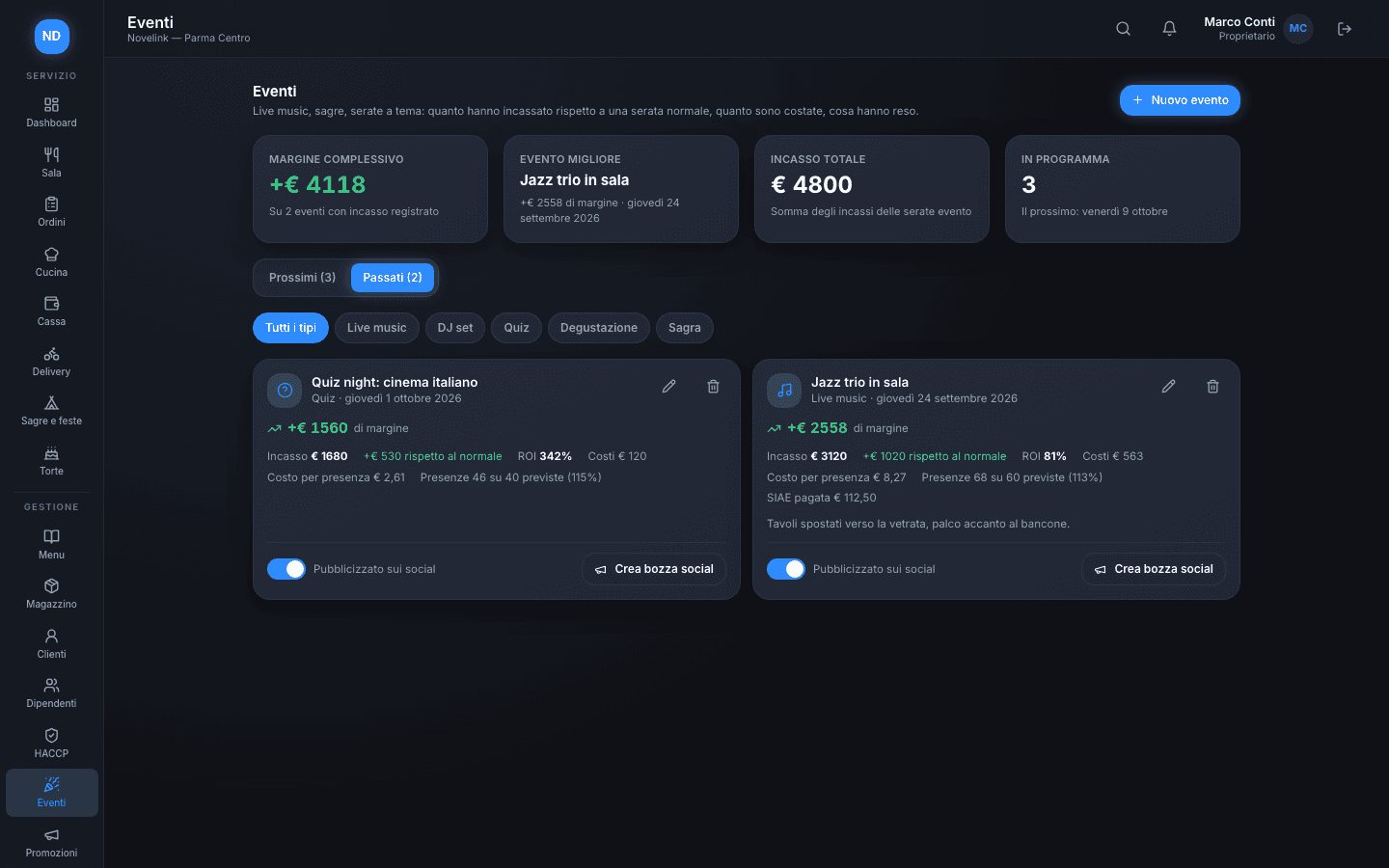
Know whether jazz night really paid off
Live music, quiz nights, tastings: they're organized with enthusiasm, but almost no one compares the takings with a normal night and with what they cost.
For every event you log expected guests, costs and music licensing fees (SIAE); once the night is over you enter takings and attendance, and Novelink shows you the margin, the difference from a normal night, the ROI and the cost per attendee. From any event, one tap starts a draft social post.
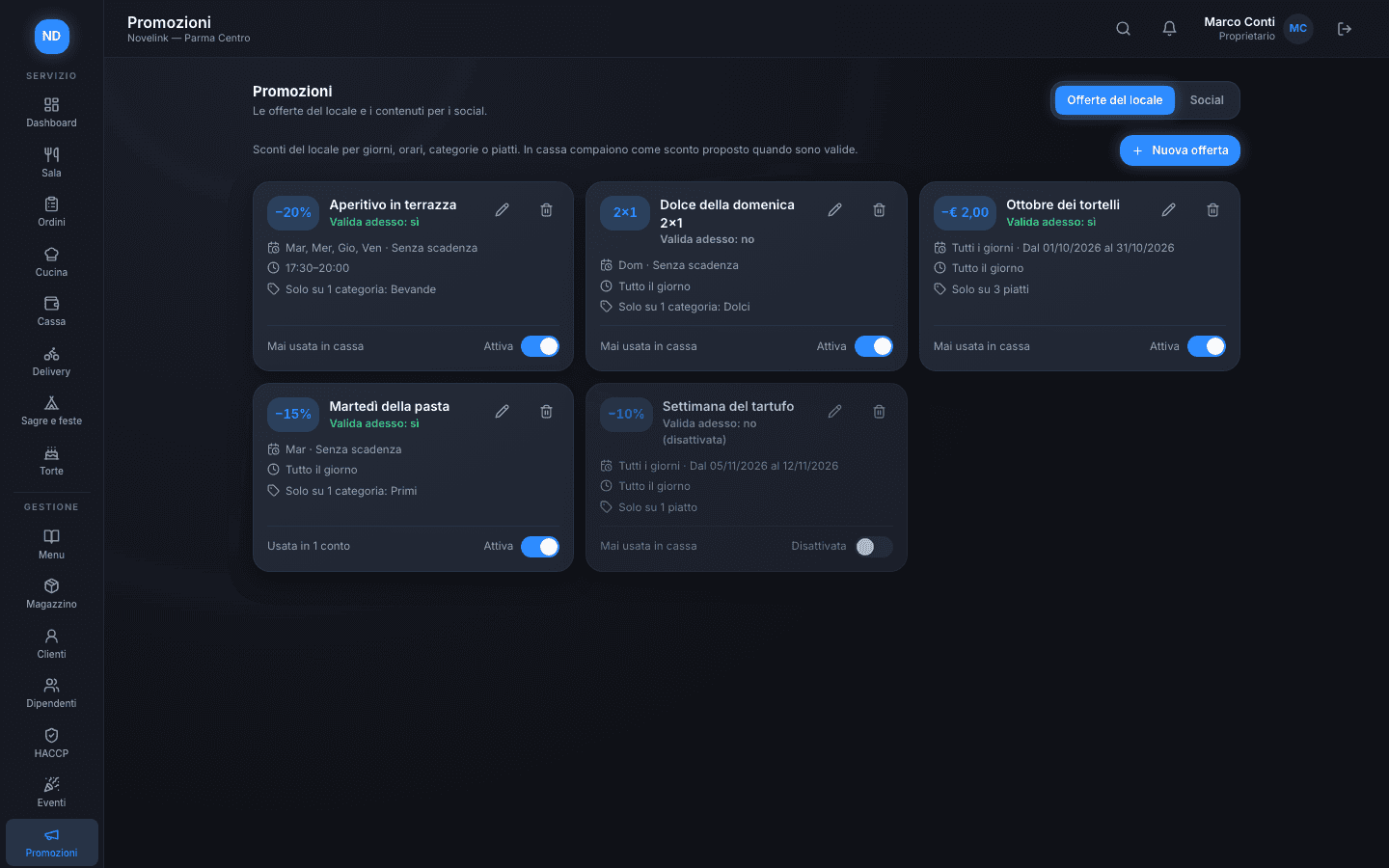
Offers suggest themselves, on the right day at the right time
Happy hour is discounted from 6 to 8 pm, Tuesdays there's the pasta deal: remembering it at checkout, with the place packed, is another story.
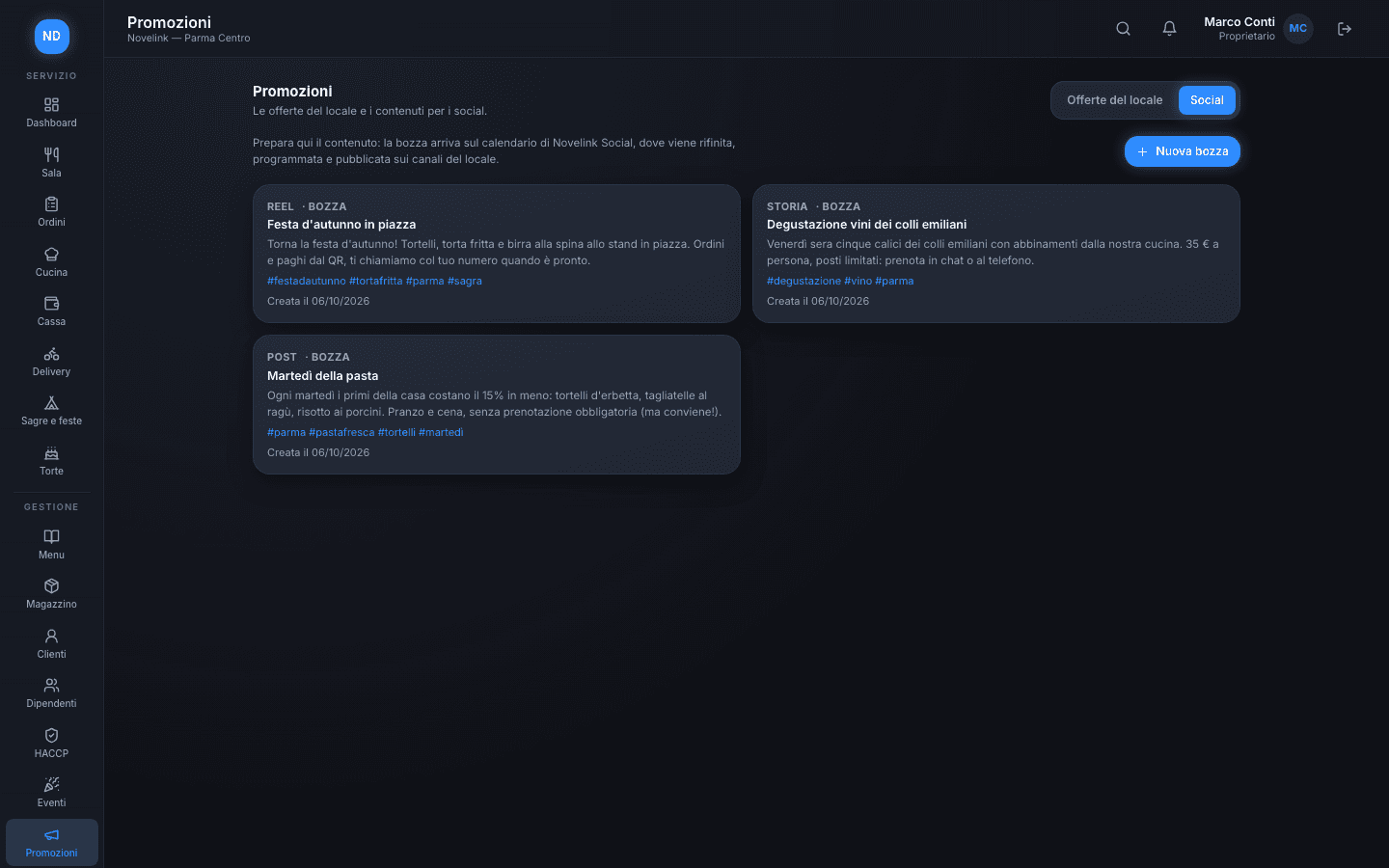
Create the venue's offers (percentage, fixed amount or 2-for-1) for days, time slots, categories or single dishes, with a validity period. In Till they appear as a suggested discount only when they really apply. If you also use Novelink Social, you prepare draft posts for the venue's channels from here.
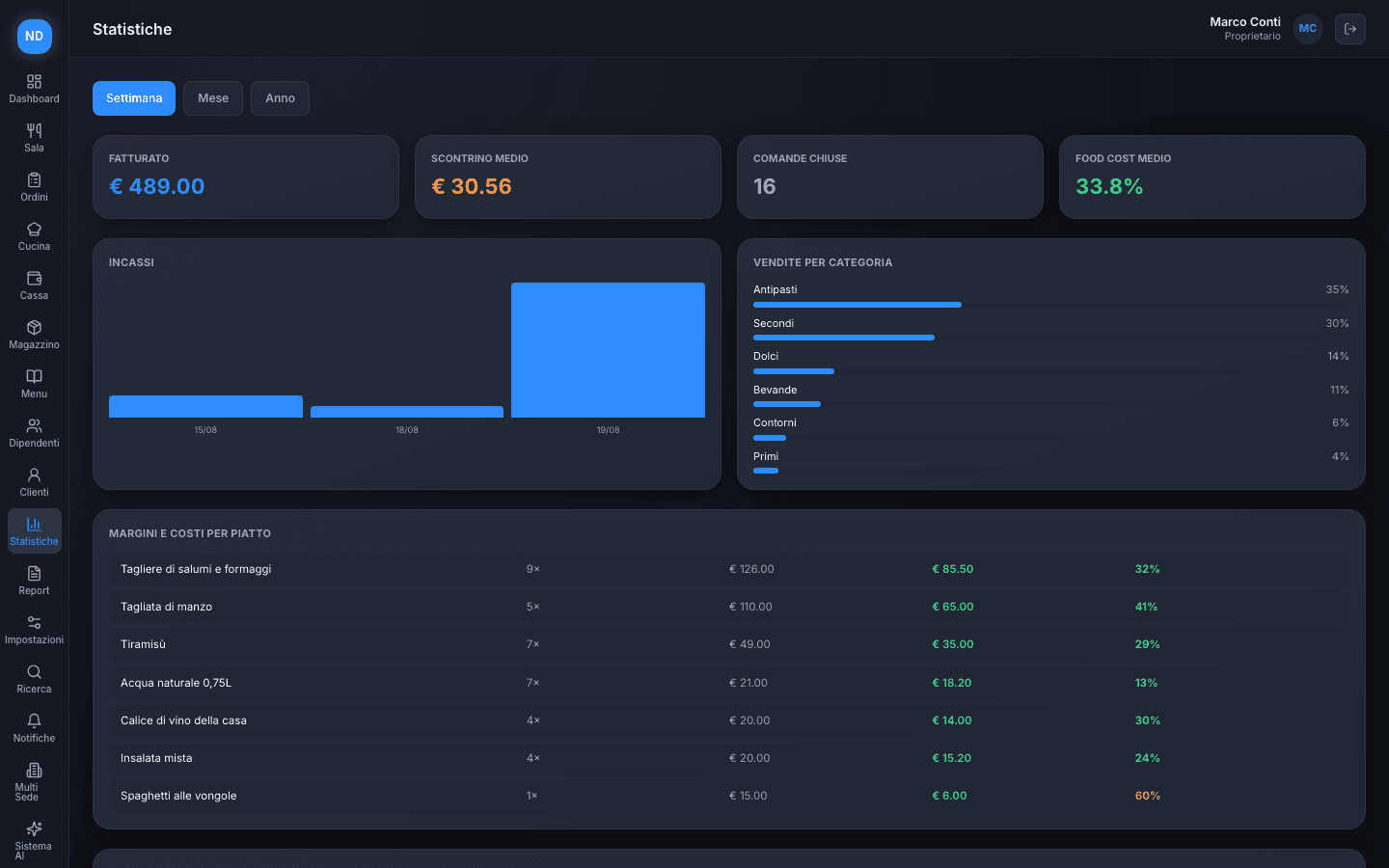
Your venue's numbers, no spreadsheets required
You know what you made last night. Do you really know which dishes make you the most money — and which ones are eating your margin?
One dashboard with revenue, average check, sales by category, and margin per dish — updating itself every time you close a bill.
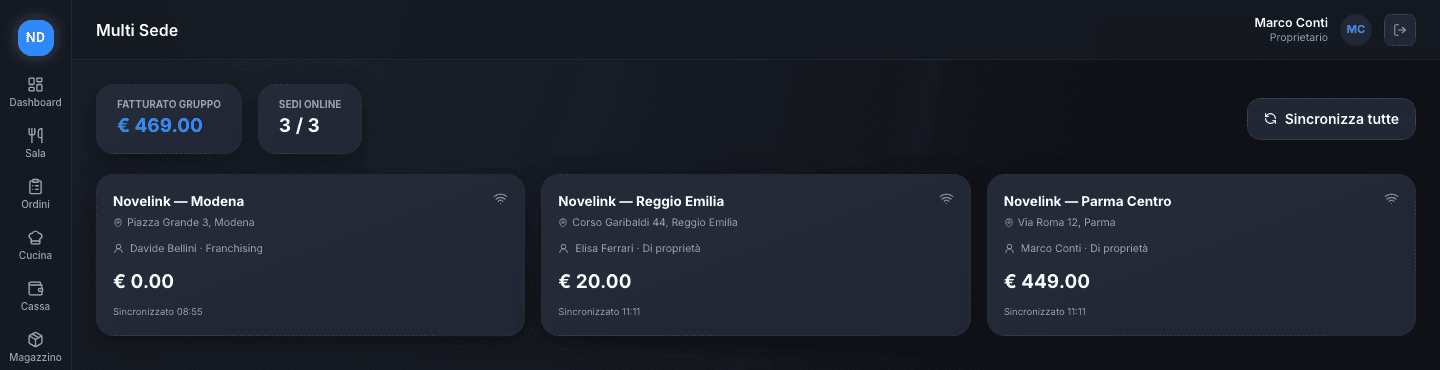
All your venues, in a single view
With more than one venue, knowing how tonight is going at each one means phone calls, messages, or physically going from place to place.
One dashboard shows revenue, occupied tables, and the status of every venue in real time — run a chain the way you'd run a single venue, without losing the big picture.
An intelligence that watches your venue for you
The data is already there, in every module — the hard part is finding the time to read it and figure out what it actually means.
Novelink Intelligence connects the floor, kitchen, inventory, and guests in real time and turns that data into clear forecasts and alerts, with no chart to interpret.
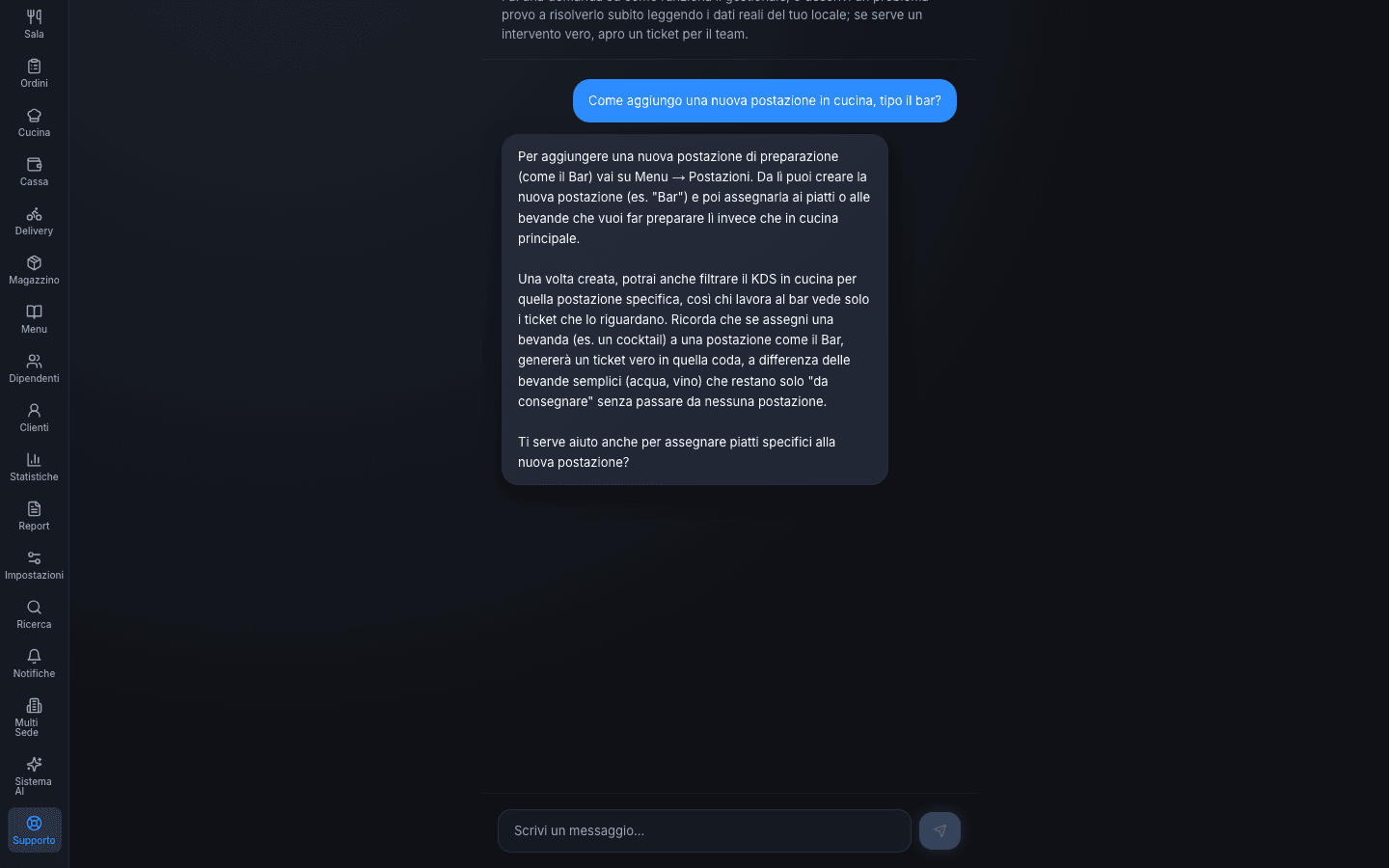
Help that already knows your venue
A problem with your software in the middle of service can't wait for a ticket and a reply the next day.
An AI assistant built into every plan reads your venue's real status — active modules, settings — and helps you solve it on the spot. If it truly needs our team, it opens a ticket itself, with all the context already inside.
Add only what you need, when you need it
Optional modules, separate from your base plan: turn them on when your venue needs them, turn them off when it doesn't — without switching systems.
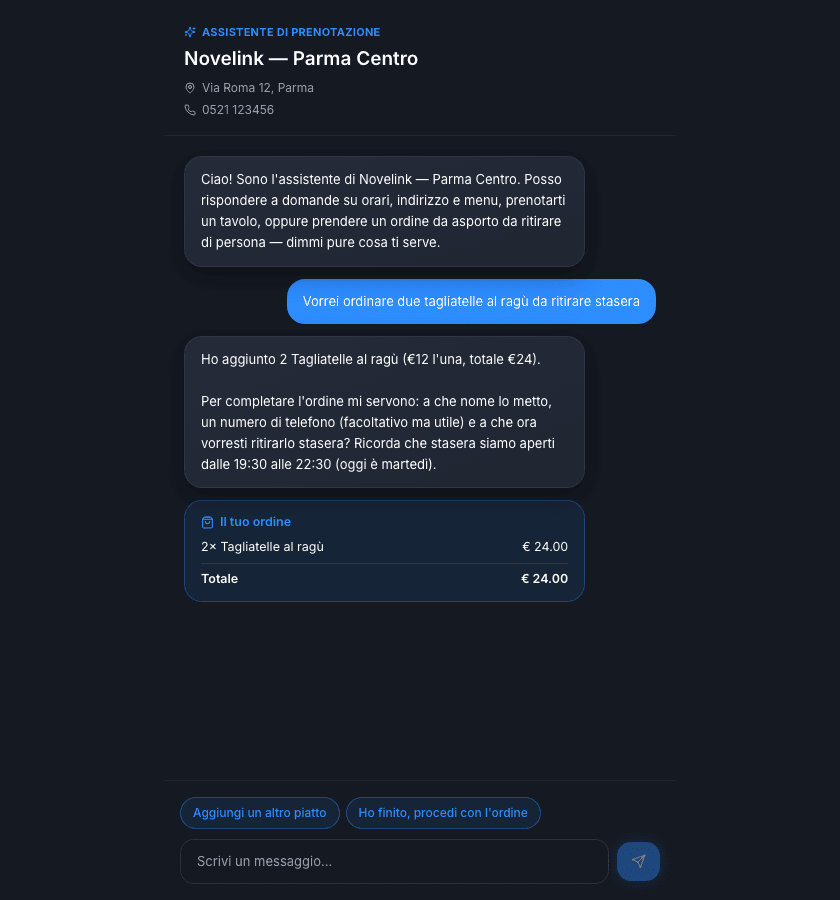
Your assistant also takes takeaway orders
The same assistant that books tables also knows how to build a takeaway order in chat, with buttons by category and dish. The order lands ready in Orders: staff confirm it and send it to the kitchen, the guest pays in person at pickup.
- Chat-based menu, with buttons by category
- Guests build their order in conversation, on their own
- Arrives ready in Orders, ready to be confirmed
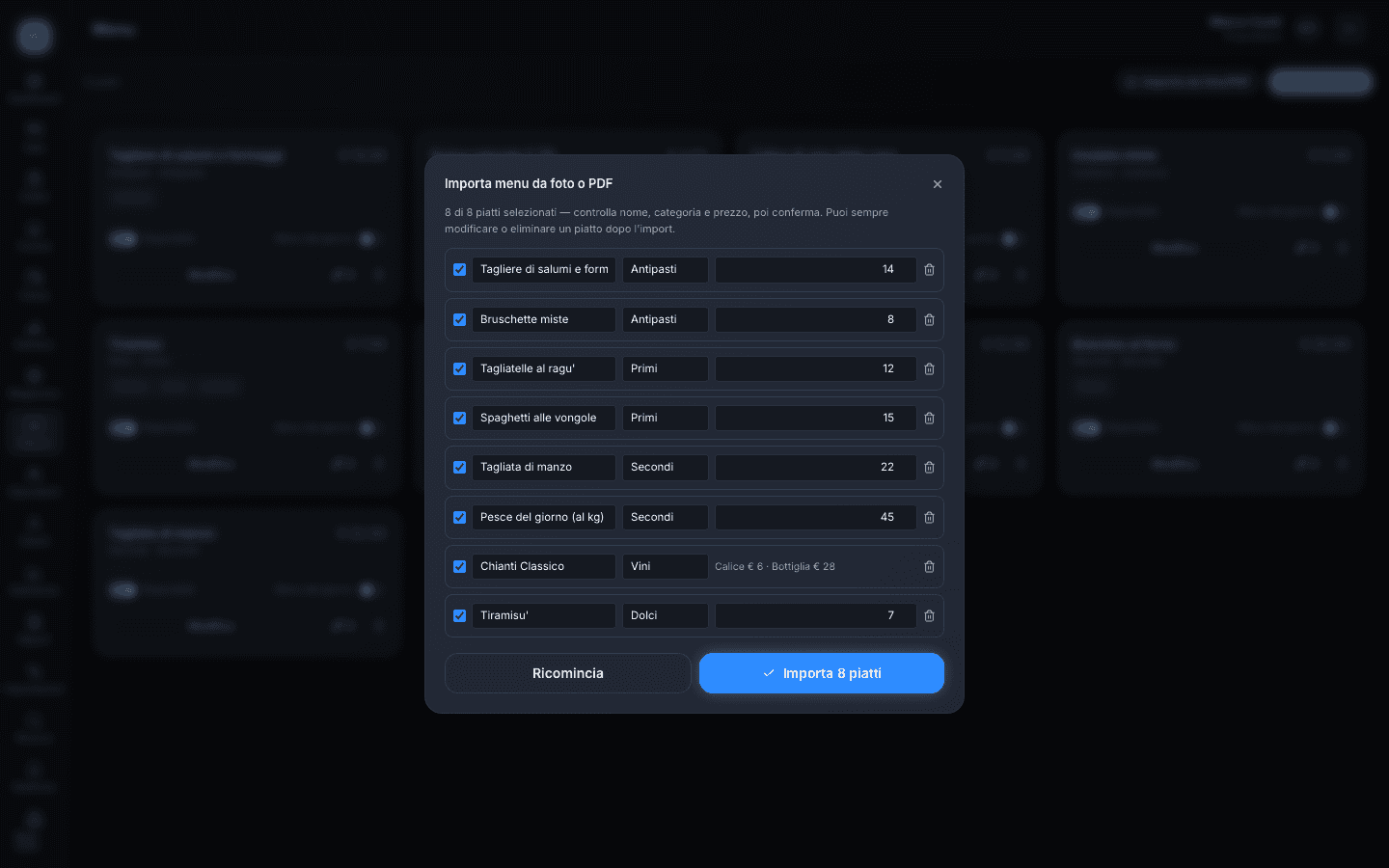
Your paper menu online in minutes, not an afternoon
Upload a photo or a PDF of your menu, and AI reads the dishes, prices, variants (glass/bottle), and dishes sold by weight — you correct and confirm row by row before it goes live. Nothing is saved without your confirmation.
- Reads photos taken on the spot or a PDF of your existing menu
- Recognizes price variants and dishes sold by weight
- Row-by-row review before importing: zero surprises
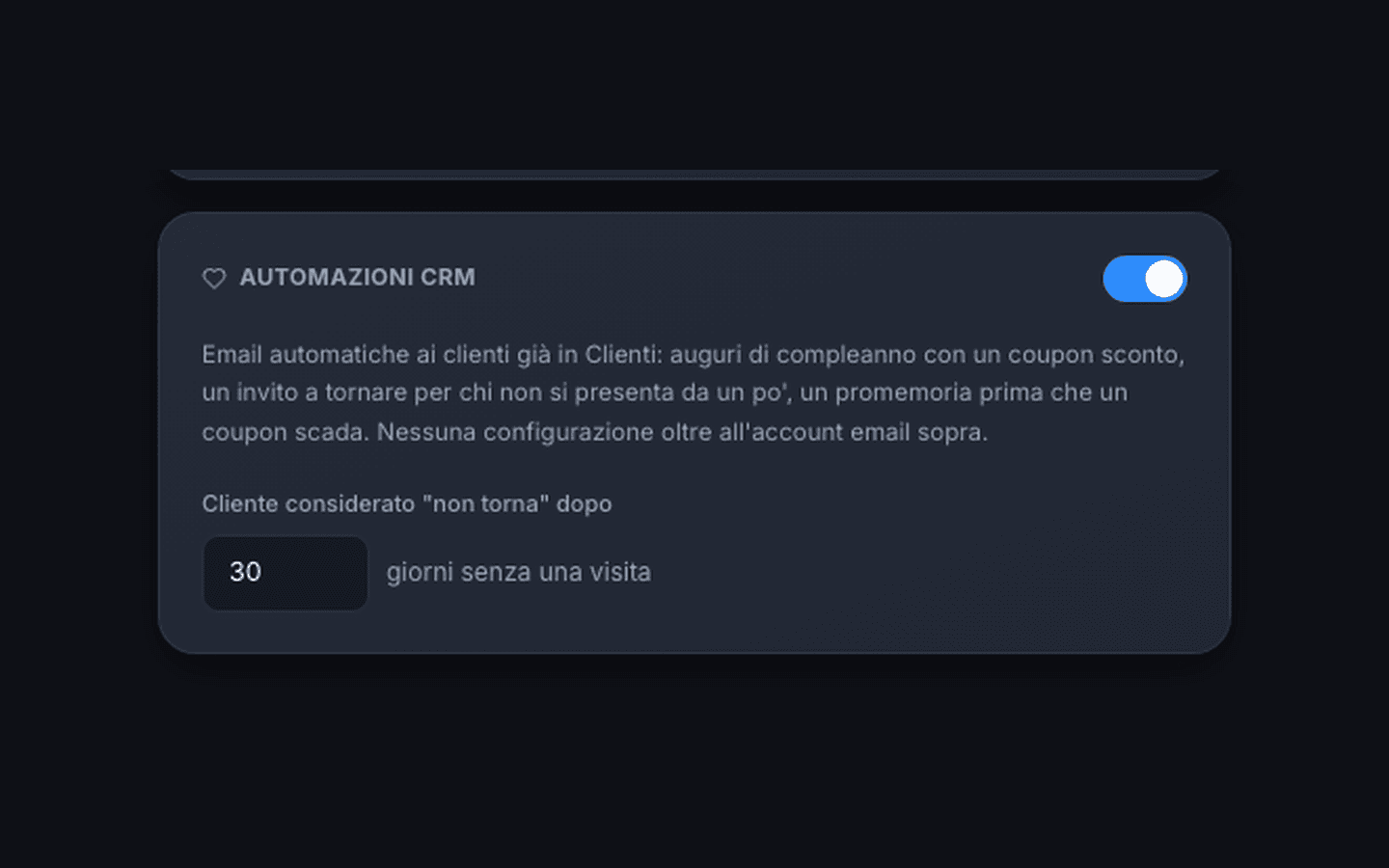
Your venue stays in touch with guests on its own
Birthday wishes with a discount coupon, a nudge to come back for anyone who hasn't shown up in a while, a reminder before a coupon expires: automatic emails that send themselves, from your venue's own email account.
- Automatic birthday wishes with a discount coupon included
- "We miss you" reminders for guests who haven't been back in a while
- Automatic alert before an issued coupon expires
Floor
An always up-to-date table map, organized shifts, and reservations confirmed automatically.
- Real-time table map
- Shift and cover management
- Automatic reservation confirmation
- Ordering and payment from the QR
Kitchen
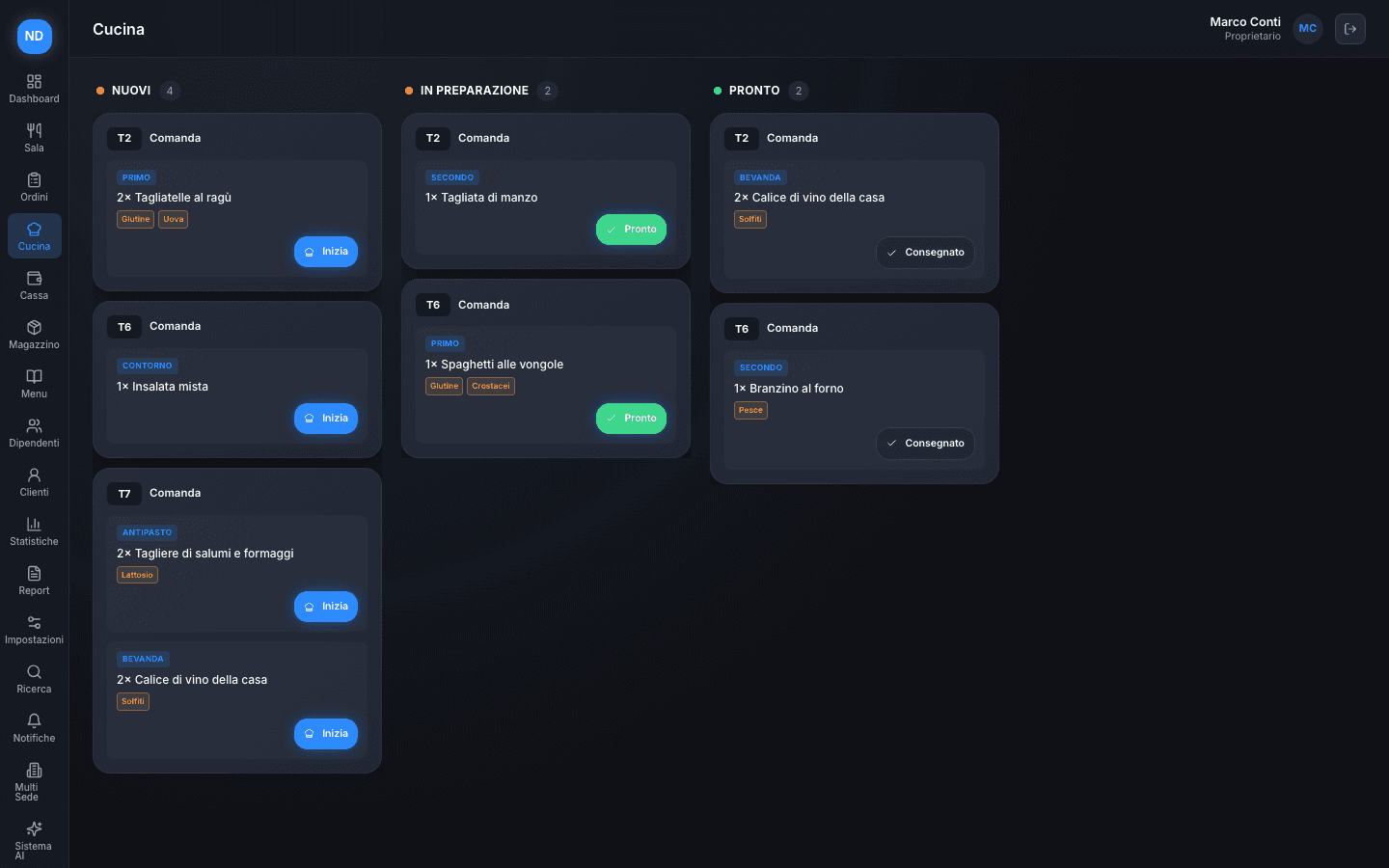
Tickets go straight to the kitchen, with tracked timing and clear priorities for every dish.
- Tickets sent directly from the floor
- Tracked preparation times
- Priorities and notes per dish
- Digital HACCP log
Inventory
Suppliers, stock, and purchase orders in one place — no more scattered spreadsheets.
- Supplier directory
- Guided purchase orders
- Automatic reorder thresholds
- Taps and returnable empties
Reservations
Online and phone reservations unified, with automatic confirmation and smart handling of no-shows.
- Unified calendar
- Automatic confirmations
- No-show and waitlist management
Guests
Guest profiles, visit history, and loyalty programs to turn occasional guests into regulars.
- Profiles and visit history
- Loyalty programs and coupons
- Guest segmentation
Analytics
Clear reports on revenue, best-selling items, and venue performance — no spreadsheet wrangling required.
- Real-time revenue reports
- Best-selling items and categories
- Period comparison and data export
Till
Split bills, automatic promotions, change and tips, tracked voids and end-of-day close.
- Cash, POS, Satispay and meal vouchers
- Promotions suggested when they apply
- Till close with expected and counted cash
Staff
Shifts, attendance, time off and an internal chat: everything you need to keep the team running.
- Weekly shifts and labor cost
- Exportable clock-ins and attendance
- Team chat with channels and photos
Change one thing, updated everywhere
When something changes in one module, every other module knows instantly — no double entry, no mismatch between the floor and the kitchen.
Every feature, built for real work
Explore everything Novelink Dine puts at your venue's disposal, category by category.
Real-time table map
See the status of every table at a glance.
Shift management
Organize floor shifts without overlaps.
Smart reservations
Automatic confirmations and self-managed waitlists.
Checks and splits
Split the check in a few taps, even by course.
3D floor view
A three-dimensional, always up-to-date view of your whole venue.
Direct tickets
Orders sent to the kitchen the instant they're taken.
Preparation timing
Track timing for every dish for a more punctual service.
Notes and allergens
Communicate special requests with zero ambiguity.
Prep stations
Route every dish to the right station — kitchen, bar, sushi.
Delivery orders in the kitchen queue
Log orders from Deliveroo, Glovo, Just Eat, Uber Eats by hand, in the same queue as the floor.
Supplier orders
Create and send purchase orders in a few clicks.
Reorder thresholds
Get notified when stock is about to run out.
Supplier directory
All your suppliers organized in one place.
Guest profiles
Visit history and preferences for every guest.
Loyalty programs
Coupons and rewards that bring guests back.
Segmentation
Group guests by habits and frequency.
Revenue reports
Revenue trends updated in real time.
Best-selling items
Find out what's actually working on your menu.
Period comparison
Compare different weeks, months, or seasons.
Data export
Export your data whenever you need it.
Email reports
Weekly or monthly reports, generated and sent on their own.
Multi-location
Manage multiple venues from the same platform.
All You Can Eat tariffs
Per-person pricing with adults, children and off-menu dishes handled automatically.
Order from the table QR
Menu with allergens on the guest's phone, ticket and dish status in real time.
Payment from the table
Guests settle from their phone by card or Satispay, once the dishes are served.
Food festivals and fairs
Order and pay from the stand's QR, with a pickup number and a public board.
Promotions at the till
Happy hour, 2-for-1 and category discounts, suggested only when they apply.
Till close
Expected and counted cash, tips, discounts and voids for the day, with PDF.
HACCP log
Temperatures, cleaning and non-compliance with corrective action, exportable to PDF.
Taps and kegs
Liters left in every connected keg, updated with every pour.
Returnable empties
Kegs, gas cylinders and crates with a deposit to return, with the total to recover.
Social drafts
Posts, stories and reels prepared by Dine and polished in Novelink Social.
Event reports
Margin, ROI and comparison with a normal night for every event.
Attendance and clock-ins
Clock in and out from the platform, tracked corrections, CSV export.
Time off and leave
Staff requests approved or declined in one tap.
Labor cost
Scheduled hours and staff cost compared with revenue.
Team chat
Channels for everyone, floor and kitchen, with photos and a pinned message.
The intelligence that watches over your venue
Every reservation, every ticket, every check becomes data. Novelink Intelligence turns it into clear decisions, without making you read a single complicated chart.
Revenue forecasts
Reliable estimates on footfall and revenue, based on your venue's real history — useful for planning shifts and orders ahead of time.
Anomaly detection
An unusual drop, an out-of-pattern waste level, a shift in margins — Intelligence flags it before it becomes a problem.
Operational suggestions
Concrete guidance on what to promote, when to reorder, and how to optimize your menu, based on your venue's real data.
Frequently asked questions
Yes. The platform works equally well for a single venue or a multi-location brand, with no difference in the experience.
Want to see Novelink Dine on your venue?
Let's talk about how it fits the way you work.